

Contents
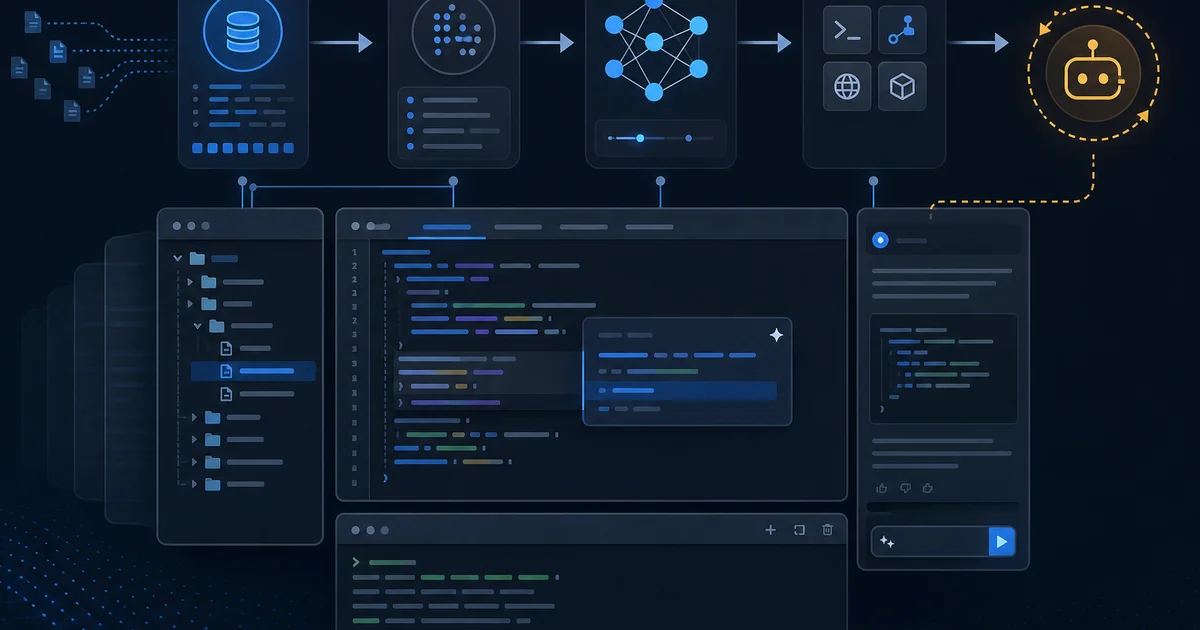
The IDE is no longer "the place where you type text." In 2026, Cursor, VS Code + Copilot, JetBrains AI, Windsurf, Claude Code, and similar tools assemble context from the repository, call a model, run commands, and return a diff — sometimes faster than you can read the changes. This is not magic and not "a chat window on top of an editor." It is a pipeline: index → context → model → tools → human review.
Below is how that pipeline evolved, what happens to code at each layer, and why understanding the mechanics matters more than picking "the smartest model."
Key takeaways
Context is more valuable than the model. Two IDEs running the same LLM can produce different results if they index the repository differently, trim context differently, and wire LSP differently. The bottleneck is usually what landed in the prompt, not the name on the flagship model card.
Code for the machine has three layers: text (diff, grep), symbols (LSP: types, references, diagnostics), and repository semantics (embeddings, codebase search). Reliable edits use all three; weak ones use text alone.
Tab, Chat, and Agent are not "levels of one button." Inline completion, dialogue, and an agent with a terminal are different product modes with different risk surfaces. Confusing them is like using a drill to cook soup.
An agent is a tool loop, not one long answer. Read, search, edit, shell, linter — the model observes the result and adjusts. The wider the surface, the more sandboxing, limits, and human-in-the-loop matter.
Humans remain the owner of the diff. The IDE speeds up writing; responsibility for merge, production, and architecture is not delegated to an extension.
Evolution: from editor to agentic environment
The story did not start with ChatGPT. It started when IDEs learned to understand structure, not just display characters.
1980s–2000s: syntax highlighting, debugger, "rename symbol" refactoring in a single language. The editor knew little about the project as a whole.
2010s: Language Server Protocol (LSP) — a common protocol between editor and language analyzer. Go to definition, find references, diagnostics, type-aware autocomplete. The IDE began to see symbols, not just strings.
2010s (in parallel): Git inside the IDE — blame, diff, stage. Code became a versioned artifact you could work with visually.
2021: GitHub Copilot — inline completion from the open file and neighboring tabs. The model predicts the next fragment; the human accepts with Tab. A speed revolution on a local slice of code.
2022–2023: chat in the IDE — explain, refactor, "write a test." Context was often limited to explicitly selected code or a single file.
2024: multi-file — Composer, "edit project," patches across several files in one request. The IDE stopped being single-file.
2025–2026: the agent loop — the model searches files on its own, runs grep/terminal, applies edits iteratively; MCP connects external tools; background agents (cloud workers, coding agents in CI) run in a separate branch or VM.
Important: each stage did not replace the previous one. LSP still highlights the error an Agent introduced a second before merge. Git still shows blame when an "improvement" turned out to be someone else's diff from the last sprint. Inline completion did not disappear — it remained the cheapest mode for routine work.
A parallel line is remote development: Codespaces, Gitpod, cloud IDEs. An AI agent naturally continues that trajectory: an environment where code, terminal, and model live together, not in three browser tabs.
| Stage | Example | What changed for the developer |
|---|---|---|
| LSP | VS Code + typescript-language-server | Errors and navigation by symbol, not by text |
| Inline completion | Copilot Tab | Speed on boilerplate in the current file |
| Chat | "Explain this function" | Dialogue without switching tools |
| Multi-file | Composer / Agent edit | One task — many files |
| Agent + tools | Cursor Agent, Claude Code | The IDE acts, not only advises |
| Background | Cloud agents, Devin-style | Task goes "for later," merge separately |
Evolution shifted the unit of work: from symbol → file → subsystem → repository + environment. Each step multiplied usefulness and multiplied the cost of mistakes.
What "working with code" means for the machine
Developers think in classes, contracts, and data flows. The model in an IDE receives text by default. Between them, good tools glue several layers together.
Layer 1: text
String search (grep, ripgrep), diff, patch, search-and-replace. Fast, predictable, no compilation required. Weakness: does not see a rename through a re-export; does not understand that two texts look similar but differ semantically.
Layer 2: symbols (LSP)
The language server knows an AST-like model: types, imports, references, unused bindings, compile errors. The IDE shows diagnostics to the agent or the human. This is the layer of "where to edit safely" and "what breaks immediately."
Layer 3: repository semantics
Embeddings, codebase index, @ mentions of files and folders. Answers "where does payment logic live?" without an exact filename. Weakness: the index goes stale, similar fragments get confused, rare paths miss the top-k.
Why one layer is not enough. Text only → the agent edits the wrong module. LSP only → does not see the architecture doc or deploy config. Embeddings only → "finds something similar" but does not guarantee freshness.
How the IDE applies edits
Most AI IDEs do not ask the model to "rewrite the entire file" on every step. More often:
- Search-and-replace blocks — minimal diff, easier review;
- Whole-file rewrite — for small files or heavy restructuring;
- Unified diff apply — like
git apply, with a risk of conflict markers.
The human sees green/red in the diff view; LSP highlights syntax/type errors after apply. That is why the cycle "Agent → diagnostics → fix" is often faster than one giant patch with no feedback from the compiler.
A merge conflict and an agent conflict are different things. An agent can successfully apply a patch in your branch but break a contract with a neighboring service that LSP does not see. That returns you to the economics of testing risk: the IDE does not know the price of your outage unless you encode it in rules and CI.
My experience. On a legacy monolith, Tab + LSP are often enough inside one module. A cross-cutting feature through five packages without Agent and without explicit @ context is a lottery. More on the boundary between generation and engineering in where code generation ends and engineering begins.
Background and cloud agents
A separate class is the agent outside your laptop: task queued, work in a VM or remote branch, result is a PR or diff for review. You do not see every tool call in real time; you see the outcome and the log. This is closer to a CI job than to Tab completion.
Upside: long tasks do not keep the IDE open. Downside: the feedback loop is longer; context at start time goes stale if other PRs merge in parallel. For production-critical systems, a background agent without strict CI and an owner review is the same risk as "a junior shipped it over the weekend," only faster.
Anatomy of a modern AI IDE
Using Cursor (a VS Code fork) as the example — the same logic applies to most AI IDEs; details differ.
Editor shell
VS Code, JetBrains Platform, Zed — host for tabs, LSP, Git, terminal, extensions. AI is an overlay, but it still relies on LSP diagnostics and the workspace file model.
Repository indexing
When you open a project, an index is built or updated: files, embeddings, sometimes ignored paths (.gitignore, .cursorignore). Large binaries and node_modules are usually excluded. Stale index is a classic failure: the agent "does not see" your fresh file until the index catches up.
Context assembly
The prompt does not get "the whole repo," but a budget:
- open files and cursor position;
- explicit selection;
@file,@folder,@codebase,@docs;- rules (persistent project instructions);
- skills (scenarios for typical tasks);
- chat history in the session;
- output from recent tool calls.
When space runs out, long files, old messages, and low-relevance chunks get cut. What gets cut first is a product decision; it determines whether the model "forgot" your ADR.
Practical consequence: do not rely on "the agent will find it" for critical invariants. Explicitly attach the contract, schema, migration, ADR — or keep them in rules. Context budget is a shared pot: a long chat about yesterday's experiment pushes out the file with types the Agent needs and it starts inventing fields.
Tab completion under the hood
Tab is not "mini-ChatGPT." Usually it is a separate fast model or the same LLM with a narrow window: current file, a few lines before/after the cursor, sometimes neighboring tabs. The job is to predict continuation, not to plan a refactor. Tab shines on map/filter, boring JSON, and repetitive tests — and poorly "understands" that you are changing an architectural invariant on the other end of the repository.
Modes: Tab, Chat, Agent
| Mode | Input | Actions | Risk |
|---|---|---|---|
| Tab | Current file + neighboring tabs | Suggest continuation | Low |
| Chat | Your question + selected context | Text, patch on request | Moderate |
| Agent | Task + tools | Searches, edits, runs shell | High |
These are different products, not a "boldness slider." Tab should not run a database migration. Agent is not needed to rename a variable in one file.
flowchart LR
  Index[Index_and_LSP]
  Context[Context_assembly]
  Model[LLM]
  Tools[Tools_edit_shell]
  Human[Human_review]
  Index --> Context --> Model --> Tools --> Human
Monorepos, microservices, and context boundaries
In a monorepo the IDE indexes the entire workspace — frontend, billing, infra-as-code. Embeddings find "similar" code in a neighboring package; an Agent may import a utility from a bounded context it should not touch. That is not a product bug but a consequence of the filesystem not knowing your architecture boundaries.
What works in practice:
- Rules with explicit boundaries — "
@app/billingmust not import@app/catalogdirectly"; - Workspace roots — open a monorepo subfolder when the task is local (less index noise);
- Contract tests between services — the Agent does not see a neighbor repo until you attach it via submodule, MCP, or an explicit
@.
In multi-repo companies the IDE almost always sees one checkout. A cross-cutting feature "API + consumer + mobile" needs multiple windows, MCP to internal docs/API specs, or a human assembling context. Expecting "the Agent will find everything in the GitHub org" usually breaks on access rights and search rate limits.
My experience. On a 2000+ file monorepo Tab in one package stays safe; Agent without @folder on the target package too often "improves" a neighbor module with a similar name. Narrow the workspace — diff quality rises without switching models.
Agent loop: plan → tool → observe → patch
Agent mode is not one answer, but a loop:
- Plan — break down the task (explicitly or implicitly).
- Tool — read_file, grep, list_dir, web fetch, MCP tool.
- Observe — stdout, linter, test result, diff size.
- Patch — apply edit; repeat or finish.
Typical tools:
- Read / Search — find where behavior lives.
- Edit — search-replace or whole-file write; quality depends on diff size.
- Terminal — test, build, npm, git; highest risk in enterprise.
- Linter feedback — diagnostics as a signal for "one more iteration."
Limits: timeout, sandbox, command allowlist, network off, approval for destructive ops. Human-in-the-loop — review diff before merge; in mature teams — mandatory CI.
Example loop (simplified)
Task: "add email validation to the registration form."
- Agent greps
register/signup→ finds the form component and API handler. - Reads both files + DTO schema.
- Patch: zod/yup rule on the client, validator on the server.
- Runs unit test → red (forgot edge case with plus-addressing).
- Patch test + fix regex → green.
- Proposes diff to the human.
At step 4, LSP might have caught a type error earlier if types were shared. At step 2, without @ schema the Agent might not see the shared @app/validation package — and duplicate the rule incompatibly with the rest of the API.
Managing such cycles in the SDLC overlaps with agentic engineering — that article is about team process; this one is about IDE mechanics.
My experience. Agent on "add a field to form + API + test" saves an hour if the API contract is already in rules. Agent on "figure out why prod is failing at night" without logs and without explicit scope is a generator of extra diffs.
Ecosystem comparison (2026)
No "best" rankings — axes teams actually choose on.
| Tool | Where it lives | Strong side | Agent surface | Enterprise |
|---|---|---|---|---|
| Cursor | VS Code fork | Agent + rules + MCP, codebase index | Wide (files + terminal) | Privacy mode, team rules |
| VS Code + Copilot | VS Code | Inline, chat, agent modes, ecosystem | Growing; plan-dependent | GitHub Enterprise policies |
| JetBrains AI | IntelliJ/PyCharm/… | LSP-native, refactor, deep language support | Moderate | On-prem options for some products |
| Windsurf / Codeium | VS Code-like | Flow, cascade edits | Medium | Vendor-dependent |
| Claude Code / Codex CLI | Terminal | CI, scripts, headless, repo-scale | Terminal-first | API policies, audit |
| Zed | Own editor | Speed, collab, AI layers | Evolving | Younger enterprise footprint |
CLI vs IDE. A CLI agent fits CI, batch refactors, servers without a GUI. An IDE agent fits a tight feedback loop with LSP and visual diff. On a production incident I usually start with logs + Chat; I add Agent when file scope is clear.
JetBrains and language depth
In the IntelliJ family, AI often builds on rich PSI (Program Structure Interface) — deeper than minimal LSP. Refactoring "change interface signature and all implementations" was historically a JetBrains strength. The AI layer continues that: model plus existing safe refactors, not only a text patch.
Zed and speed
Zed bets on editor performance and collab. AI in such editors is another layer; the win is when the feedback loop is limited by UI lag, not only model latency.
Detailed "what to pick for the team" lives in the planned satellite developer-ai-toolchain-2026; this article is how it works, not a shopping list.
MCP and extensibility
Model Context Protocol (MCP) is the standard for "IDE/agent ↔ external tool": Jira, Slack, read-only DB, internal docs, deploy status. The IDE stops being an island; the agent gets live data, not only files.
Risks are the same as any tool use: excessive permissions, prompt injection through a ticket, token leakage. In production, MCP is part of the platform, not a toy. See MCP in production.
Limitations and common failures
Stale index — agent edits an old version or "cannot find" a new file. Fix: reindex, explicit @file, refresh.
Wrong file — semantically similar module from another bounded context. Fix: rules with boundaries, contract tests.
Over-eager refactor — "while I was at it, improved" 40 files. Fix: narrow prompt, small PRs, no drive-by changes in rules.
Green diff — red prod — tests did not cover the invariant; see the economics of failure cost: cheap generation does not cancel the price of outage.
Context leakage — secrets in the prompt, .env in the index. Fix: ignore files, privacy mode, pre-commit hooks.
My experience. The most common failure is not "a dumb model" but incomplete context: the agent did not know about a feature flag that disabled half the behavior.
How to debug a "weird" diff
If the result is unexpected, check in order:
- What actually entered context — which files, rules, truncated chunks (in Cursor — attached context list).
- Index freshness — a new file may be missing from embeddings.
- Mode — Tab vs Agent differ in "boldness"; Chat without tools should not change 20 files.
- LSP after apply — diagnostics show syntax/types, not business invariants.
- Diff size — if >15–20 files without your request, stop and narrow the task.
The agent loop log (tool calls, stderr) is your main artifact for post-mortem. Without it, "the model was wrong" is not reproducible. Teams with an eval harness sometimes store such runs as golden traces for regression — see ai-eval-harness-2026.
Enterprise footprint
In a company, the IDE is an endpoint with access to code:
- Privacy / zero retention — data not used for training; sometimes enterprise API only.
- Allowlist of models and providers — compliance, data region.
- Terminal off or sandbox-only for agents.
- Audit — who accepted which diff; tied to SSO.
- Secrets scanning at repo level + IDE ignore.
See also secure AI development and an eval harness for agent changes — ai-eval-harness-2026.
A separate question is who owns rules. If every developer keeps their own .cursor/rules, you get a zoo. Mature teams move base rules into the repo, version them like code, and review them like lint config. Rules are context architecture, not personal notes.
Rolling out to a team without chaos
A typical path for a mature organization:
- Pilot — 5–10 engineers, one repository, privacy mode, background agents off.
- Baseline rules — stack, CI commands, module boundaries; PR on rules like eslint config.
- Agent playbook — allowed tasks (boilerplate, tests), forbidden ones (prod deploy, DB migrations without DBA).
- Metrics — not "lines generated" but time-to-merge, revert rate, CI failure after agent PRs.
- Security review —
.cursorignore, MCP allowlist, DLP on chat paste.
The IDE does not replace code review. The wider the agent surface, the stricter human review on architecture and security. The reviewer checklist is in code review in the AI era; here what matters is: the enterprise footprint starts with policy, not license procurement.
Choosing a mode for the task
| Task | Tab | Chat | Agent | CLI / background |
|---|---|---|---|---|
| Boilerplate in one file | ✓ | |||
| Explain someone else's code | ✓ | |||
| Feature across 3–10 files, known contract | ✓ | ✓ | ||
| API migration + tests | ✓ | ✓ | ||
| Greenfield prototype | ✓ | ✓ | ||
| Incident, need logs/metrics | ✓ | carefully | ✓ | |
| Mass codemod in monorepo | ✓ | ✓✓ |
Rule of thumb: the higher the cost of error, the narrower the agent surface and the more evidence (tests, review, canary). On payments and permissions — Chat with explicit context + human; not "Agent until green CI."
Skills and rules as context architecture
Rules — persistent constraints: style, test commands, prohibitions ("do not touch /billing without architect review"). Skills — packaged scenarios: "publish an article," "run the research pipeline." Both land in the system layer before your prompt.
Without rules, Agent falls back to training-data average — and your repository rarely matches "average GitHub." With rules, the IDE becomes closer to an onboarding doc the model actually reads every time. The planned satellite ai-ide-rules-skills-playbook-2026 will expand this into a team playbook; here it is enough to understand: rules are not magic, but a cheap way to lower the cost of error without switching models.
Anti-patterns
- "Agent, do everything" without definition of done — diff across 80 files and a tired reviewer.
- A week-long chat — context stuffed with stale hypotheses.
- Ignoring diagnostics — merge with red LSP "because Agent said done."
- Same mode for every task — Tab for architecture, Agent for a typo.
What to do this week
- Rules — 10–20 lines: stack, module boundaries, "do not touch without a test," verification commands.
- Ignore — confirm
.env, keys,dist/, huge artifacts are not indexed. - One agent task with done criteria: "done = test X green, diff ≤ N files."
- Blind-spot map — what the model does not see (flags, cron, external webhooks); add to rules or docs.
The next logical piece in this cluster is code review in the AI era: what a human should check after an agent diff.
FAQ
Is Cursor just VS Code with ChatGPT?
No. The shell looks like VS Code, but codebase indexing, the agent loop, rules/skills, MCP, and a different context policy were added. Copilot in vanilla VS Code is a different pipeline, even with the same model.
Do I need @codebase on every request?
No. For a local edit — open file and LSP. @codebase — when you do not know where behavior lives, or the task is cross-cutting. Extra codebase search bloats context and noise.
Is Agent safer than Chat?
No, usually riskier: terminal, multi-file, autonomous iterations. Chat without tools is advice; Agent is action.
Will AI IDEs replace programmers?
They speed up templates and code exploration. They do not replace responsibility for architecture, production, and trade-offs. See the engineering boundary.
Why do Copilot and Cursor give different code on the same prompt?
Different context (index, rules, default tools), different system prompt, different diff apply strategy.
Can enterprise work without the cloud?
Partly: on-prem API, local models, privacy mode, background agents off. Terminal agents remain a risk — sandbox required.
Are LSP and AI competitors?
No. LSP gives symbols and errors; AI gives generation and planning. The best IDEs combine both.
When is CLI better than IDE?
CI, headless refactor, server, batch job, reproducible script. IDE is better for a tight loop with visual diff.
How does this relate to MCP?
MCP extends agent tools beyond the filesystem. The IDE becomes an orchestrator, not only an editor.
Should I disable Tab and keep only Chat?
Rarely. Tab is the cheapest mode for latency and attention; it does not hurt if you do not accept blind completions. Disable only for compliance (no inline send-to-cloud) or when the team locks quality through a narrow Agent playbook.
Further reading
- Agentic engineering in 2026 — team process around agents.
- Where code generation ends — philosophy of responsibility.
- MCP in production — tools beyond the repo.
- Economics of failure cost — price of outage vs speed of generation.
- Eval harness for agents — checking agent output in CI.
- Secure AI development — policies and threats.
The 2026 IDE is not "smarter than the programmer." It assembles context faster and proposes patches faster. Whoever understands the pipeline spends fewer tokens on chaos and fewer nights rolling back an agent diff.
Comments