
Contents
Most ERP systems start the same way: the first database table, the first form, the first report. Then a new module is added, then another. A few years later the system successfully solves business problems — but becomes hard to evolve.
Any new field requires changes to the database, backend code, frontend code, reports, and access rights. New sections take months to build. Architects fear refactoring. Developers fear touching old modules.
In 2026, the answer to this problem is not another "big rewrite" or microservices for fashion's sake. The answer is moving from ERP as an application to ERP as a platform: a system that describes structure through metadata, stores business data in normal PostgreSQL tables, and lets new modules appear in days, not quarters.
Key takeaways
ERP should be a platform for building modules, not a set of modules. Code, tables, and forms are a consequence of description — not the only way to extend the system.
Metadata Driven is about structure, not EAV. Metadata governs entities, fields, workflows, and interfaces. Business data lives in real tables with indexes and relationships.
CRUD is the necessary minimum, not the goal. Industrial ERP automates processes: deadlines, notifications, approvals, analytics — and that is where most of the complexity lies.
There is no ready-made open-source ERP-level builder. Low-code platforms and CRUD frameworks cover part of the problem, but do not replace the platform layer.
Migration is evolution, not revolution. Rewriting the entire system almost always fails. The right path is phased rollout of platform engines and moving modules one by one.
The main question when designing ERP today is not "how do we implement a new module" but "how do we build a platform where new modules appear as cheaply and quickly as possible."
Introduction
ERP is one of the most expensive classes of software a company buys or builds. Total cost of ownership is measured not in licenses but in years of customization, integrations, staff training, and downtime during changes. That is why architectural decisions in the first two years determine whether the system can evolve for a decade — or will need a full rewrite every five years.
The typical trajectory looks familiar: at the start everything is fast, a team of five knows all the code, and the diagram fits on a napkin. The business grows — and so does the ERP. Branches appear, new product lines, regulatory requirements. Every business change must be reflected in the system. ERP becomes the company's central nervous system.
And at some point development speed drops. Not because of "bad programmers" but because the architecture is not designed for accumulating complexity. Every new feature touches half the codebase. Every exception is hard-coded. Every report is a separate project.
Modern ERP in 2026 is an attempt to break this cycle. Not through low-code magic or endless EAV universality, but through platform architecture: a set of engines that turn system description into working code, interfaces, and processes.
Why most ERP systems age
Typical lifecycle
The lifecycle of most enterprise ERP systems is predictable:
Table
  ↓
PHP code (or any backend)
  ↓
React form
  ↓
Report
  ↓
Another module
At each step a manual coupling is created between layers. Table corrosion_maps — controller CorrosionMapController — component CorrosionMapForm — SQL query in the "Corrosion by Assets" report — rule in permissions.php. Each year the number of such couplings grows exponentially.
Predictable symptoms appear:
- Duplicated logic. Validation for the "Corrosion rate" field is written in three places: API, form, and Excel import.
- CRUD copy-paste. Every new module is a copy of the previous one with names swapped.
- Dozens of identical screens. Table + filters + form + detail view — the same pattern, built from scratch every time.
- Complex integrations. Module A reads Module B's tables directly because "it's faster."
- Performance problems. Reports run for hours because nobody designed an analytics layer.
Symptoms of an aging ERP
If you recognize yourself — the system is already on a development plateau:
- A new module takes weeks, even though it is essentially "another entity with fields and statuses."
- Any change requires several developers — backend, frontend, DBA, report author.
- Business processes are hard-coded —
if ($status == 'approved')instead of workflow description. - Users cannot customize the interface — columns, filters, and views are rigidly set by developers.
- Architectural decisions are driven by constraints of old code, not business requirements.
ERP aging is not a bug and not a consequence of an "outdated stack." It is the accumulated effect of an architecture where every module is a separate mini-project.
ERP as a platform, not an application
The most important mindset shift when designing modern ERP:
ERP should not be a set of modules. ERP should be a platform for building modules.
Classic model:
ERP = Code + Tables + Forms
Every new section is a new development cycle: migration, API, UI, permissions, tests, documentation.
Platform model:
ERP = Platform + Metadata + Business Modules
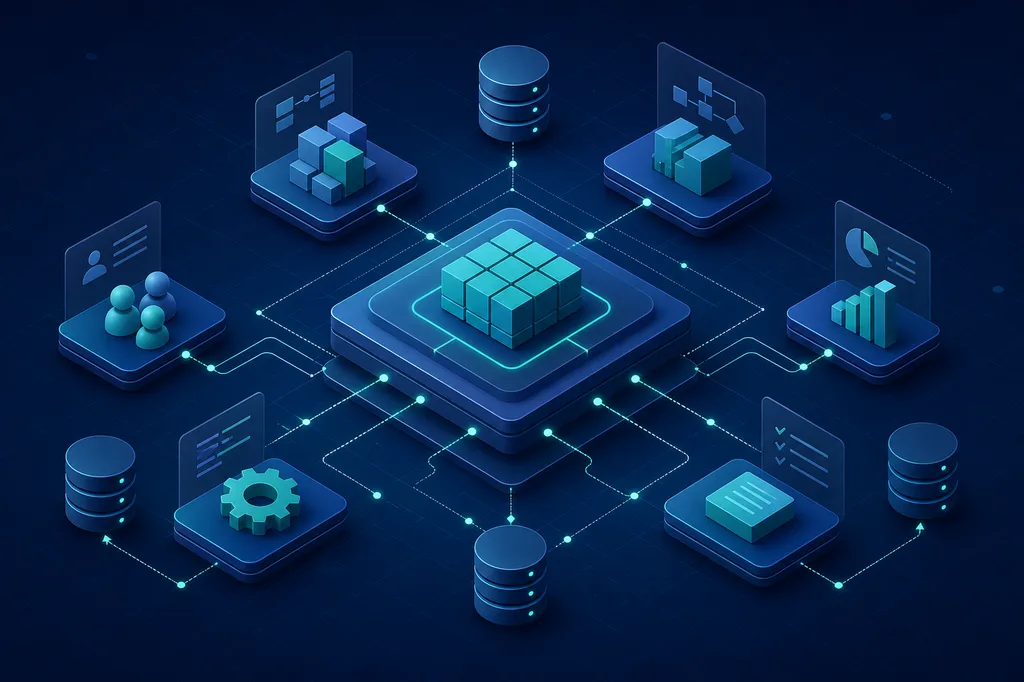
Platform — a set of engines: metadata, migrations, CRUD runtime, workflow, permissions, events, audit.
Metadata — description of entities, fields, relationships, processes, and interfaces in data, not in code.
Business modules — specialized logic that cannot be expressed declaratively: residual life calculation, corrosion forecasting, integration with external SCADA.
The difference is fundamental. In classic ERP, adding an entity "Corrosion map" is a two-week project. In platform ERP — a description in the Metadata Engine and automatic generation of table, API, form, and list. Specialized logic plugs in as an extension, not as yet another monolithic controller.
This does not mean "no programming for everything." It means 80% of typical operations — CRUD, lists, filters, basic workflows — do not require hand-written code, while 20% of complex domain logic gets clear extension points.
What is Metadata Driven Architecture
Metadata Driven Architecture (MDA) is an approach where system structure is stored in data, not only in code.
Instead of manually creating a new controller, form, and migration, a developer (or architect) describes the entity and its properties:
Entity: Corrosion Map

Fields:
  - Number (string, required, unique)
  - Asset (relation → Equipment)
  - Corrosion rate (decimal, mm/year)
  - Measurement date (date)
  - Status (enum: draft, review, approved)
The platform, based on this description, automatically knows:
- how to store data — create table
corrosion_mapswith typed columns; - how to render the form — generate UI with validation and relationships;
- how to build the list — table with sorting, filters, and pagination;
- how to validate fields — required, unique, ranges, custom rules;
- how to apply permissions — who can view, edit, approve.
Important: MDA does not eliminate programming. It moves routine from "write another CRUD" to "describe the entity and add business logic only where it is truly needed."
What is stored in metadata
| Category | Examples |
|---|---|
| Entities | Name, table, icon, module |
| Fields | Type, validation, default value, visibility |
| Relationships | One-to-many, many-to-many, cascades |
| Workflow | Statuses, transitions, conditions, actions |
| Permissions | Roles, policies, access to fields and actions |
| Interfaces | Lists, forms, dashboards, widgets |
Metadata is the source of truth for structure. Code is for what cannot be expressed declaratively.
Why EAV is not the answer
Hearing "metadata," many developers immediately think of Entity–Attribute–Value — the classic "universal storage" schema:
entity_values
  entity_id
  field_id
  value
EAV looks perfect in demos: any field, any entity, no migrations. In production — disaster:
- Poor performance. Every query is JOIN on JOIN. A typical list of 50 records with 10 fields becomes 500 rows of intermediate result.
- Complex queries. "Show maps with corrosion rate > 0.5 mm/year for the last quarter" — SQL a DBA will optimize for a week.
- No proper indexes. Indexing
valuein a TEXT column that holds numbers, dates, and strings — pointless. - Complex analytics. BI tools, reports, aggregations — all require ETL on top of EAV.
Modern ERP should use real PostgreSQL tables and real relationships between entities. Metadata governs system structure — which tables to create, which fields to add, how to build the form. Not business data storage.
The right model:
Metadata describes → Migration Engine creates → PostgreSQL stores
Table corrosion_maps with columns number, equipment_id, corrosion_rate, measured_at — that is a normal relational model. The Metadata Engine knows this table exists, what fields it has, and how to display them. The Entity Engine reads and writes data through a typed runtime, not through entity_values.
EAV is acceptable for limited extension points — custom attributes, rare custom fields. Not for ERP core.
Core platform engines
Platform ERP is not one "smart framework" but a set of specialized engines, each doing one job well.
Metadata Engine
Central source of truth about system structure.
Stores and versions:
- entities and their fields;
- relationships between entities;
- workflow definitions;
- access policies;
- interface descriptions (lists, forms, dashboards).
The Metadata Engine answers: "what exists in the system and how it is structured." All other engines read metadata instead of hard-coding structure.
Implementation requirements:
- Versioning — schema changes do not break running modules.
- Read API — frontend and backend get current description at runtime.
- Validation — cannot create a field without a type or a relationship to a non-existent entity.
Migration Engine
Responsible for synchronizing database structure with metadata.
How it works:
Desired State (metadata)
        ↓
Actual State (current DB schema)
        ↓
SQL Diff (migration)
A developer adds a "Comment" field to the entity description — the Migration Engine generates ALTER TABLE corrosion_maps ADD COLUMN comment TEXT and applies it safely. No need to hand-write migrations for every module.
Critical properties:
- Idempotency — re-running does not break the schema.
- Rollback — ability to undo a change.
- Zero-downtime — for large tables: add column without blocking.
Entity Engine
Universal runtime engine for working with entities.
Instead of generating thousands of controllers CorrosionMapController, EquipmentController, InspectionController — one mechanism:
GET    /api/entities/corrosion_maps
POST   /api/entities/corrosion_maps
GET    /api/entities/corrosion_maps/:id
PATCH  /api/entities/corrosion_maps/:id
DELETE /api/entities/corrosion_maps/:id
The Entity Engine:
- reads entity metadata;
- builds SQL queries against real tables;
- applies validation from field descriptions;
- checks permissions through the Permission Engine;
- writes to the Audit Engine;
- publishes events to the Event Bus.
Specialized logic connects through hooks and extensions: beforeCreate, afterApprove, custom validators.
Workflow Engine
Business processes become data, not chains of if in code.
Instead of:
if ($status == 'approved') {
    $this->notifyManager($card);
    $this->createInspectionTask($card);
}
Process description:
Draft → Review → Approved

Transition "Review → Approved":
  - Condition: role = "Corrosion Engineer"
  - Action: notify responsible person
  - Action: create re-inspection task
The Workflow Engine:
- stores process definitions in metadata;
- validates allowed transitions;
- executes actions on status change;
- keeps transition history.
An architect can change the process without deploying code. Developers write only custom actions that cannot be expressed declaratively.
Permission Engine
Unified access control for the entire platform.
Supports levels:
- Roles — "Engineer," "Site Manager," "Auditor."
- Policies — "can edit maps for their site."
- Field access — "corrosion rate visible to all, residual life forecast only to engineers."
- Action access — "only role X can approve when status is Y."
The Permission Engine integrates with Entity Engine and Workflow Engine: permissions are checked on every request, not scattered across controllers.
Event Bus
Foundation of loosely coupled architecture inside ERP.
Modules do not call each other directly. They publish and subscribe to events:
ContractApprovedEvent
        ↓
   Notification Module → email to responsible person
        ↓
   Audit Module → log entry
        ↓
   Integration Module → webhook to external system
Benefits:
- a new module subscribes to an event without changing existing code;
- integrations are isolated from the core;
- easier testing — mock events instead of mocking the entire call chain.
Implementation: in-process event bus for monolith, RabbitMQ / NATS for horizontal scaling.
Audit Engine
Records full change history — who, when, what exactly changed.
Answers questions industrial ERP faces daily:
- Who changed corrosion rate from 0.3 to 0.8?
- When did the map move to "Approved" status?
- Which fields changed on the last edit?
The Audit Engine works at Entity Engine level: every create/update/delete operation is logged automatically. No need to manually add $this->auditLog() in every controller.
Why CRUD is no longer enough
Most ERP tutorials end at CRUD: create, read, update, delete. Enough for a demo. Not for industrial operation.
Simple system
Allows:
- create a corrosion map;
- change fields;
- delete a record;
- show a list.
Real industrial system
Requires:
- monitor inspection deadlines — map is overdue if next inspection date has passed;
- forecast residual life — calculation based on corrosion rate and wall thickness;
- notify responsible people — when threshold exceeded, when deadline approaches;
- create tasks — automatically on status change or on schedule;
- build analytics dashboards — corrosion trends by assets, sites, periods;
- manage approvals — workflow with roles, comments, history.
This logic — processes, calculations, notifications, analytics — makes up 80% of industrial ERP complexity. CRUD is the remaining 20% that still takes 80% of development time in classic architecture.
The platform approach does not eliminate complex logic. It frees developers from routine so they focus on what truly differentiates the system: calculations, integrations, industry rules.
What research into ready-made solutions showed
When designing the platform, existing open-source tools were reviewed:
| Solution | Category | Strengths | Limitations for ERP |
|---|---|---|---|
| Appsmith | Low-code | Fast dashboards, DB connectors | No workflow engine, no metadata-driven entities |
| ToolJet | Low-code | Visual builder, self-hosted | Limited customization, no enterprise permissions |
| Budibase | Low-code | Simplicity, internal tools | Does not scale to complex processes |
| Directus | Headless CMS | Excellent data handling, API out of the box | CMS mindset, not ERP processes |
| React Admin | CRUD framework | Fast React lists and forms | No workflow, no metadata engine |
| Refine | CRUD framework | Flexibility, headless approach | Framework, not a platform |
Main conclusion
No ready-made open-source interface builder for ERP was found.
Existing solutions fall into two categories:
Low-code platforms (Appsmith, ToolJet, Budibase) quickly build interfaces but impose architectural constraints and their own data model. Suitable for internal tools and prototypes, not for ERP that must live for decades.
Framework approach (React Admin, Refine) speeds up CRUD interface development but does not solve platform-level tasks: metadata engine, migration engine, workflow designer, permission engine, audit.
Conclusion: the platform layer must be built. You can and should rely on ready-made UI libraries, but ERP architecture is your own.
Why React Admin does not solve the problem
React Admin is an excellent tool. It helps assemble in hours:
- tables with sorting and filters;
- forms with validation;
- entity detail views;
- basic permissions via
authProvider.
But it does not help build:
- Dashboard Builder — analytics panel constructor with widgets;
- Workflow Designer — visual business process editor;
- user views — when end users configure columns and filters;
- interface builders — when an architect describes a form in metadata, not JSX.
React Admin is a CRUD framework. Ideal for simple admin panels and internal dashboards. For ERP with dozens of modules, complex workflows, and personalization, its capabilities run out in the second or third month of development.
Right usage: React Admin (or its patterns) as a building block inside Entity Engine for rendering lists and forms from metadata. Not as a platform replacement.
Modern frontend stack for ERP
If you are not using a ready-made platform end to end, in 2026 it makes sense to rely on a proven set of libraries:
| Library | Purpose |
|---|---|
| React | Component model, ecosystem |
| TypeScript | Typing for metadata and API |
| Ant Design | Enterprise UI: tables, forms, layout |
| TanStack Query | Caching, API synchronization |
| TanStack Table | Flexible tables with virtualization |
| React Hook Form | High-performance forms |
| React Flow | Workflow Designer, process diagrams |
| dnd-kit | Drag-and-drop for builders |
| Apache ECharts | Analytics charts and dashboards |
This set covers most corporate interface tasks:
- Ant Design + TanStack Table — entity lists with filters, sorting, export.
- React Hook Form + Ant Design — dynamic forms from field metadata.
- React Flow — visual workflow editor for architects.
- dnd-kit — dashboard builder: drag widgets.
- ECharts — corrosion charts, trends, KPI panels.
- TanStack Query — unified layer for Entity Engine API.
Key principle: UI is rendered from metadata, not hard-coded per entity. One EntityList component gets description from Metadata Engine and draws the table. One EntityForm — the form. Specialized screens are the exception, not the rule.
ERP Studio and user personalization
Modern ERP must separate two levels of configuration — with different users, permissions, and tools.
Architect level (ERP Studio)
An architect or system administrator manages structure:
- entities and fields — creation, types, validation;
- workflow — statuses, transitions, actions;
- permissions — roles, policies, field access;
- interfaces — base lists, forms, dashboards.
ERP Studio is the environment where an architect describes the system, and the platform materializes the description into tables, API, and UI. Analogy: Figma for ERP structure, except changes work in prod immediately.
ERP Studio tools:
- entity builder (drag-and-drop fields);
- workflow editor (React Flow);
- permission configurator (matrix of roles and actions);
- form and list preview.
User level (Personalization)
End users manage their workspace:
- filters — saved condition sets;
- views — which columns to show, in what order;
- dashboards — which widgets on the home screen;
- workspaces — set of tabs and modules for a role.
Users do not create entities or change workflow. They customize the interface for themselves — like browser bookmarks or Excel columns.
The separation is critical: give end users access to Metadata Engine and the system falls apart. Deny personalization and users will hate the "rigid" interface.
Migration strategy for an existing ERP
The most common mistake is trying to rewrite the entire system. Such projects almost always fail: the business cannot stop for a year, requirements change faster than new code is written, the team burns out.
The right path is evolution, not revolution.
Stage 1. Audit current architecture
- Inventory modules, tables, integrations.
- Dependency map: who depends on whom.
- Identify "hot spots" — modules that change most often.
- Assess: which modules are candidates for first migration.
Output: document with priorities and risks. Not "rewrite everything" but "start with module X because it is most painful and relatively isolated."
Stage 2. Introduce Metadata Engine
- Describe existing entities in metadata (without changing the DB).
- Metadata Engine reads description but does not manage migrations yet.
- Goal: validate metadata model on real data.
Stage 3. Introduce Migration Engine
- Connect metadata synchronization with DB schema.
- First automatic migrations — on test environment.
- Existing tables remain; new fields added through Metadata Engine.
Stage 4. Build Entity Engine
- Universal CRUD API based on metadata.
- In parallel with existing controllers — not replacement, alternative path.
- First module migrated to Entity Engine.
Stage 5. Develop new modules on the platform
- All new entities created only through Metadata Engine + Entity Engine.
- Old code untouched.
- Team gets used to platform workflow.
Stage 6. Gradual migration of legacy sections
- One module at a time, by audit priority.
- Strangler Fig Pattern: new API wraps old, frontend switches gradually.
- Old code removed only when module is fully migrated and tested.
Typical timeline: 12–24 months for a medium ERP (20–50 modules). Not "big bang" but continuous value delivery.
What ERP will look like in 10 years
The industry is likely moving toward this model:
From ERP as a set of screens — to ERP as a platform.
- New entities appear through builders, not development sprints.
- Interfaces are assembled dynamically from metadata and user settings.
- Business processes are configured by architects without code changes.
- Developers focus on complex domain logic: calculations, ML forecasts, equipment integrations.
- AI assistants help architects describe entities and processes in natural language — but the core stays metadata-driven, not "generated on the fly without structure."
Technologies will change. React will give way to something new. PostgreSQL may or may not remain. But the platform model — metadata, engines, loose coupling — will outlive any specific stack because it solves a fundamental problem: how to make change cheap.
Companies that keep evolving ERP as a classic monolith "table → code → form" will hit a ceiling sooner or later. Companies that build a platform gain the ability to evolve the system for years — adding modules, processes, and integrations without rewriting the foundation.
Conclusion
Modern ERP in 2026 is no longer a set of tables and forms. It is a platform combining:
- metadata — structure description in data;
- engines — migration, entity, workflow, permission, audit, events;
- business modules — specialized logic on top of the platform;
- personalization — ERP Studio for architects, settings for users;
- integrations — through Event Bus, not direct calls.
Key principles:
- Metadata governs structure, PostgreSQL stores data — not EAV, not universal tables.
- CRUD is automated by the platform — developers write what cannot be described declaratively.
- Migration is evolution — Metadata Engine first, Entity Engine next, modules migrated gradually.
- No ready-made solution exists — the library stack exists, the platform layer is built for yourself.
The main question when designing ERP today is not:
"How do we implement a new module?"
but:
"How do we build a platform where new modules appear as cheaply and quickly as possible?"
The answer to that question determines whether your ERP will grow with the business — or become the next monolith that must be rewritten again in five years.