

Contents
ERP developers keep coming back to the same idea: instead of dozens of tables with columns, use three universal entities, and any field can be added without a migration. The EAV (Entity–Attribute–Value) pattern — entity, attribute, value — looks almost perfect in a demo. A customer card is assembled in minutes. A new reference book is one row in metadata. The architect gets approval, the team celebrates the absence of ALTER TABLE.
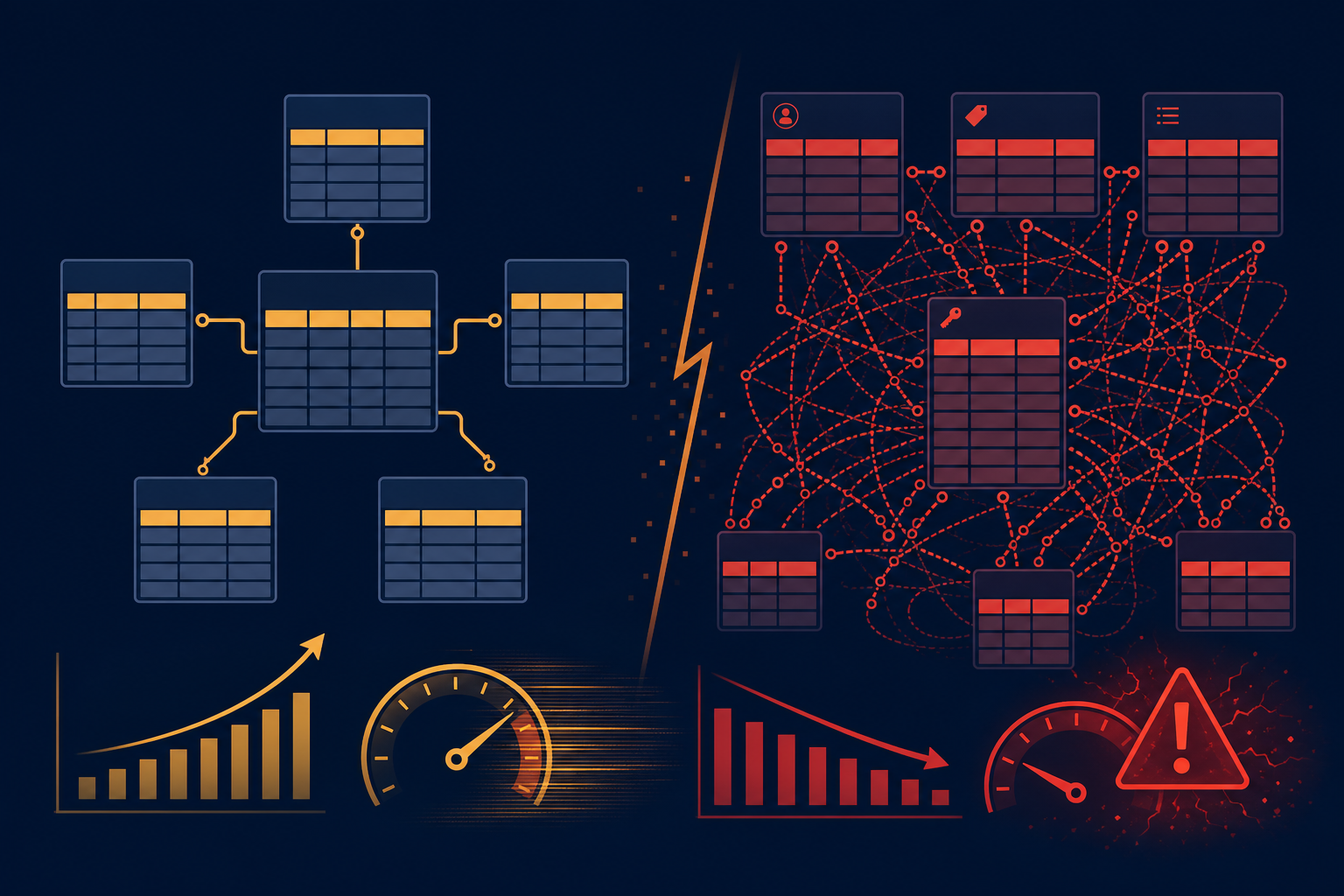
Two or three years later, the same architecture becomes a bottleneck: cards take seconds to open, reports run for hours, DBAs live inside query execution plans, and developers are afraid to touch the "universal engine." The problem is not that EAV is "bad." The problem is that it solves flexibility at the cost of performance, development complexity, and rising maintenance cost — and that price only becomes visible once you already have a lot of data.
This article is a deep dive into EAV in the ERP context. If you want a broader view of universality as an architectural mistake, see the most expensive mistake in ERP architecture. Here the focus is on mechanics: why the pattern attracts teams, how it breaks the database, and what to use instead.
Key takeaways
EAV is a deferred-complexity trap. At the start you win on schema change speed; at millions of rows you lose on every SELECT.
Every field is an extra JOIN. Ten attributes — ten joins; fifty — a query the optimizer cannot stabilize.
Indexes and typing break in a single value column. Searching by phone and filtering by price need different strategies; a universal index does not exist.
Reports and analytics are EAV's weak spot. BI tools and regulated reporting expect tables with columns, not attribute pivots.
EAV belongs on the periphery, not in the core. Settings, rare custom fields, prototypes — yes. Orders, stock, ledger entries — no.
EAV is too good at the design stage. That is exactly why experienced architects do not build the ERP core on it.
Introduction: Why EAV Keeps Coming Back
ERP lives in a world where requirements change faster than the release cycle. Today you need a SKU; tomorrow a serial number; the day after that storage temperature and fifty more fields "only for this client." The classic relational model answers with migrations: ALTER TABLE, deploy, regression. EAV promises to never touch the schema — only add rows to the values table.
For an architect who has watched integrators spend months getting a column added in production, that sounds like salvation. For the business in a presentation, it sounds like "the system configures itself without programmers." For a developer in the first sprint, it sounds like an elegant abstraction. That is why EAV keeps resurfacing in every generation of ERP projects, despite mountains of postmortems from previous teams.
EAV in plain terms: instead of storing a customer in a row of the customers table with columns name, phone, email, you store an entity identifier and a set of "attribute name → value" pairs in separate rows. One table describes everything. Flexibility is infinite — until the first heavy report.
Chapter 1. What Is EAV
The classic relational model
A customer table is the example everyone understands:
| id | name | phone | |
|---|---|---|---|
| 1 | Ivan Petrov | +380501234567 | [email protected] |
Advantages:
- Simple queries —
SELECT name, phone FROM customers WHERE id = 1. - Indexes behave predictably —
INDEX(phone)speeds up phone lookup. - Clear structure — the schema is visible in
\d customers, in the IDE, in documentation.
DBMSs have been optimized for this model for decades. Column type is known, statistics are meaningful, execution plans are stable.
The EAV model
Instead of columns — value rows:
| entity_id | attribute | value |
|---|---|---|
| 1 | name | Ivan Petrov |
| 1 | phone | +380501234567 |
| 1 | [email protected] |
In real systems the schema is slightly more complex: separate entities, attributes, attribute_values tables with types and references. But the idea is the same: data structure is described by data, not by DDL.
Why developers think this is brilliant:
- You can add fields without changing the database schema — a new row in
attributes, notALTER TABLE. - You can create any entities —
entity_type = 'product','order','warehouse_cell'. - No migrations for every customer field (in theory).
- You can build a universal object constructor — the UI reads metadata and renders a form.
On paper, the problem of "the business asks for one more field" is solved forever.
Chapter 2. Why EAV Looks Like the Perfect ERP Solution
Business requirements keep changing
Typical evolution of a product card:
| When | What they ask for |
|---|---|
| Today | SKU, manufacturer |
| Tomorrow | Serial number, color |
| In a month | Expiry date, storage temperature |
| In a year | 50 more fields for industry, branch, regulator |
In a normalized model, each step is a migration, tests, DBA sign-off, report updates. In EAV — configuration: an administrator or integrator adds an attribute in the UI. For the product owner that is a competitive advantage: react to the market faster.
The illusion of infinite flexibility
The architect thinks:
"We will create one universal table and never change the database structure again."
It sounds beautiful. It sounds like the end of the war between development and implementation. It sounds like a scalable product for a thousand clients with different processes.
The dream of a fully universal ERP
On the slide:
- any reference book;
- any document;
- any business process;
- any set of fields —
everything is stored the same way. One persistence engine, one reporting engine, one getField('...') API. It seems the ERP architectural problem is solved forever.
In practice you did not solve the problem — you deferred it into the layer of queries, indexes, and debugging. More on the cost of universality in the article on universal ERP architecture.
Chapter 3. The First Hit to Performance
A simple SELECT turns into a nightmare
In a normal model:
SELECT name, phone, email
FROM customers
WHERE id = 1;
One primary-key lookup. Microseconds.
In EAV for the same three fields:
SELECT
    MAX(CASE WHEN a.code = 'name'  THEN av.value_string END) AS name,
    MAX(CASE WHEN a.code = 'phone' THEN av.value_string END) AS phone,
    MAX(CASE WHEN a.code = 'email' THEN av.value_string END) AS email
FROM entities e
JOIN attribute_values av ON av.entity_id = e.id
JOIN attributes a ON a.id = av.attribute_id
WHERE e.id = 1
  AND e.entity_type = 'customer'
GROUP BY e.id;
Already three attributes — JOIN, GROUP BY, conditional aggregate (pivot). The alternative is a separate JOIN per field:
SELECT v_name.value  AS name,
       v_phone.value AS phone,
       v_email.value AS email
FROM entities e
JOIN attribute_values v_name  ON v_name.entity_id  = e.id
JOIN attributes a_name        ON a_name.id = v_name.attribute_id  AND a_name.code = 'name'
JOIN attribute_values v_phone ON v_phone.entity_id = e.id
JOIN attributes a_phone       ON a_phone.id = v_phone.attribute_id AND a_phone.code = 'phone'
JOIN attribute_values v_email ON v_email.entity_id = e.id
JOIN attributes a_email       ON a_email.id = v_email.attribute_id AND a_email.code = 'email'
WHERE e.id = 1;
For each field — an extra join. A customer card with 20 fields — 20 JOINs just to show a form.
The number of joins grows
| Fields on object | Query character |
|---|---|
| 10 | Tolerable at small volume |
| 50 | Noticeable CPU load, complex plans |
| 200 | A separate engineering project, caches, denormalization |
Read cost grows linearly with the number of attributes in the worst case and worse when filtering on several fields at once.
The DB optimizer starts to suffer
Symptoms:
- Complex execution plans — dozens of nodes, nested loop, hash join on millions of rows in
attribute_values. - Unstable queries — after
ANALYZEthe plan changes; yesterday's fast report hangs today. - Unexpected degradation — one attribute added, and the order list query slows fivefold because the optimizer chose a different JOIN order.
Relational DBMSs optimize fixed schemas extremely well. EAV turns every SELECT into a dynamic puzzle.
Chapter 4. Indexes Stop Saving You
In a normal table the index is obvious
CREATE INDEX idx_customers_phone ON customers(phone);

SELECT * FROM customers WHERE phone = '+380501234567';
Index scan, thousands of rows per second. The DBA is happy.
In EAV everything lives in universal columns
Logically:
attribute = 'phone'
value = '+380501234567'
Physically — millions of rows in attribute_values, where value_string holds names, phones, dates, JSON, and numbers mixed together.
Problems:
- An index on
valuealone is useless for selectivity — half the table is "Ivan" and "red". - An index on
(attribute_id, value_string)helps one attribute but swells with every new entity type. - Composite indexes multiply: for phone, for sku, for status — separate strategies, because types and cardinality differ.
There become too many indexes
For each "hot" attribute group the DBA adds a partial or composite index. The result:
- database size grows — indexes rival the data;
- RAM consumption grows — the hot set no longer fits in memory;
- writes slow down — every value insert updates several B-trees.
In a normalized table one order record is one row, a few indexes. In EAV one order record with 30 fields is 30 INSERTs and a cascade of index updates.
Chapter 5. Filtering Becomes Expensive
The business wants a simple report
"Show products that are red and cost more than 100 euros."
In a normal schema:
SELECT id, name, price
FROM products
WHERE color = 'red'
  AND price > 100;
Two conditions on typed columns. An index on (color, price) or a bitmap plan — a standard task.
In EAV — a chain of JOINs
You need entities that simultaneously have:
- attribute
colorwith value'red'; - attribute
pricewith value> 100.
Typical pattern:
SELECT e.id
FROM entities e
WHERE e.entity_type = 'product'
  AND e.id IN (
      SELECT av1.entity_id
      FROM attribute_values av1
      JOIN attributes a1 ON a1.id = av1.attribute_id
      WHERE a1.code = 'color' AND av1.value_string = 'red'
  )
  AND e.id IN (
      SELECT av2.entity_id
      FROM attribute_values av2
      JOIN attributes a2 ON a2.id = av2.attribute_id
      WHERE a2.code = 'price' AND av2.value_number > 100
  );
Two subqueries, four JOINs, set intersection. Add sorting by name, grouping by category, and pagination — the query keeps growing.
Complex filters are a disaster
Especially painful when one report has:
- dozens of attributes in SELECT;
- filters on five to ten fields;
- GROUP BY and aggregations;
- sorting on untyped
value.
Each condition is another branch in the plan. The user waits. The business asks why a "simple list" does not work.
Chapter 6. Reports Become the Weakest Link
ERP lives on reports
Operational accounting is forms and cards. But ERP value for management is in summaries: sales by region, stock as of a date, receivables, cost, plan vs actual. Those queries:
- touch large volumes of data;
- run regularly and in parallel;
- do not tolerate "five times slower since Monday" degradation.
EAV is a poor fit for analytics
Reasons:
- many JOINs — every report column is pivoted from attributes;
- many conversions —
CAST,CASE, type coercion fromvalue_string; - complex aggregation —
SUM(price)requires assembling price into a row per entity first.
A common outcome: reports move to nightly ETL into a separate warehouse with normalized marts. The EAV ERP core remains for data entry; analytics lives in a copy of the data. You pay for two models instead of one.
Why BI tools dislike EAV
Power BI, Metabase, internal report builders expect:
- tables with names;
- columns with types;
- relationships via foreign keys.
EAV forces you either to write views with hundreds of lines or configure a semantic layer that emulates a normal schema on top of EAV. In effect you build a normalized model a second time — on top of the first — to fix an architectural choice.
Chapter 7. Typing Starts to Break Down
One column stores everything
A typical universal cell value_string (or several value_* columns):
100
150.5
Ivan Petrov
2025-01-01
true
{"nested": "json"}
What is the value?
For the DBMS and optimizer — a string. For the business — a number, date, flag, reference. The application must guess the type from attribute metadata on every operation.
Every operation requires conversion
WHERE CAST(av.value_string AS NUMERIC) > 100- CAST kills index use on the value.
- Type errors surface at runtime:
'N/A'in a price field breaks a report. - Comparing dates as strings gives wrong sort order without a strict format.
Constant CAST, CONVERT, checks in the application — extra CPU on every row and a source of quiet bugs in reporting.
Chapter 8. Data Volume Grows Explosively
Simple math
| Objects | Fields per object | Rows in attribute_values |
|---|---|---|
| 100,000 | 100 | 10,000,000 |
| 1,000,000 | 50 | 50,000,000 |
| 500,000 orders | 80 fields | 40,000,000 orders alone |
In a normalized model 100,000 customers — 100,000 rows. In EAV — 100,000 × N attributes.
What happens next
Growth in:
- tables — backup and restore measured in hours;
- indexes — rebuild and vacuum become a planned project;
- replication — read replica lag is visible to operators;
- cloud cost — more disk, more IOPS, more RAM.
Every new field increases volume
Even if an attribute is filled for 1% of records, in a horizontal EAV model an empty value is often still stored or complicates queries with LEFT JOIN. Adding a "rare" field in the configurator is not free for infrastructure.
Chapter 9. Why Development Gets Harder Too
Queries are hard to read
A simple list of orders for the week in EAV — a page of SQL with subqueries, aliases av_status, a_status, av_total. Code review turns into archaeology. A new developer cannot answer "what fields does an order have?" without querying attributes.
Errors become more expensive
- Logic is spread across metadata, a universal service, and SQL.
- Data is non-obvious — a typo in an attribute
codebreaks a report for one client. - Hard to debug — a "wrong status" bug requires tracing entity → values → client 17 override.
Dependence on "magicians"
Two or three people appear who "understand the engine." They leave — onboarding takes months. That is not mature architecture; it is bus factor at minimum. See also why ERP systems turn into monoliths — EAV accelerates the same process.
Chapter 10. The Real Story of Most EAV ERPs
The typical trajectory is not theory — it is a pattern from dozens of projects.
Stage 1. Enthusiasm
"We built a universal platform. Any reference book in a day. Competitors run migrations — we run config."
Stage 2. Growth
Clients appear, documents, millions of rows in attribute_values. Functionality grows. Still tolerable on powerful hardware.
Stage 3. Slowdown
User complaints:
- cards take long to open;
- reports are slow;
- reference search lags.
Support blames "large data volume." DBAs open EXPLAIN ANALYZE for the first time.
Stage 4. Workarounds
- caches for cards and lists in Redis;
- materialized views for the top 10 reports;
- denormalized tables
orders_flatfor the UI; - a separate search index (Elasticsearch, OpenSearch) for reference books.
Each workaround is an admission that EAV cannot carry the hot path.
Stage 5. De facto abandonment of EAV
The system grows specialized tables: orders, order_lines, inventory_movements. EAV remains for "custom fields" and legacy configuration. You get a hybrid — the most honest architecture, but expensive: you pay for both worlds until you cut out the old core.
Chapter 11. When EAV Is Actually Useful
EAV is not an anti-pattern everywhere. It is a tool with a narrow scope.
System settings
Module configuration, feature flags, integration parameters — few records, rare changes, no heavy analytics.
Metadata
When structure is unknown upfront and volume is small: form field definitions, import schema, external system mapping.
Rarely used additional fields
Custom fields on a customer card — manager comment, internal code, non-standard attribute for one branch. A mistake here does not break the balance sheet.
Small volume and non-critical performance
Prototype, internal tool, low-code platform — the user consciously trades query speed for flexibility.
Rule of thumb: if stock, money, taxes, or regulated reporting depend on a field — it belongs in a typed table column, not an EAV row.
Chapter 12. What to Use Instead of EAV
Classic normalized tables
The foundation of most successful ERPs. An order is an orders table, lines are order_lines, foreign keys, invariants in code or CHECK. Boring, predictable, fast.
JSON fields for rare attributes
PostgreSQL JSONB, MySQL JSON — flexibility without a JOIN per field:
ALTER TABLE products ADD COLUMN extras JSONB;
-- extras->>'color', GIN index when needed
Pros: one row per product, fewer joins, simpler card. Cons: weaker typing, JSON indexing requires discipline. Fits peripheral data.
Hybrid architecture
The most popular compromise in mature systems:
| Layer | Storage |
|---|---|
| Core (order, product, stock) | Typed columns |
| Extensions (client custom) | JSONB or a separate EAV table with small volume |
| UI settings | Metadata |
80% of queries hit normal tables; 20% tolerate flexibility.
Entity engine with physical tables
Metadata describes an entity, but when the schema is published the system generates real tables (ALTER or separate tenant schema). Flexibility at design time, normal DB performance at runtime. Complexity lives in the generation tool and migrations — but that is honest complexity, not complexity hidden in JOINs.
Conclusion
The core problem with EAV
Not that it is a "bad idea." That it is too good an idea at the design stage.
The architect at the whiteboard sees:
- flexibility;
- universality;
- no migration for every field.
They do not see (or defer):
- millions of rows in the values table;
- an avalanche of JOINs in every report;
- indexes breaking in a single
valuecolumn; - analytics and BI pain;
- rising maintenance cost and dependence on a few people who "know how it works."
The same path most large ERPs take
- Enthusiasm for universality.
- Fight with performance — caches, hardware, DBAs.
- Denormalization — flat tables, materialized views.
- Return to specialized tables in the core.
That is why experienced architects use EAV as a supporting tool — settings, custom fields, prototypes — but do not build the core the orders, warehouse, and money flow through on it.
If you are choosing a data schema for a new ERP today, ask one question: "In three years, can we explain the EXPLAIN of the main sales report to a junior developer in an hour?" On a normalized model — yes. On EAV in the core — probably not. And that costs more than any migration saved at the start.
Comments