

Contents
Computer Vision is not answered by “which framework is better.” PyTorch and TensorFlow solve the same vision jobs: data → tensor → model → loss → weight update → inference. Class names and API style change; the pipeline does not. This article is an engineer’s mental model: CV tasks, the primacy of data, CNNs, classification, detection and segmentation, transfer learning, evaluation, and production. For API-level comparison see PyTorch vs TensorFlow; for the wider family see ML frameworks.
Key takeaways
Computer Vision is a discipline, not a library logo. Classification, detection, segmentation, OCR, and video analysis share one foundation: data, image representation, architecture, training, metrics, and inference.
Data beats the framework name. Bad labels, train/test leakage, class imbalance, and production domain shift break ResNet and “the newest” network alike.
For a model, an image is a tensor. Pixels become numbers with shape, channels, normalization, and a batch axis; then come convolutions, features, logits, and loss.
Transfer learning is the industrial default. ImageNet (and domain) pretrained weights almost always beat training from scratch when the domain is not radically different.
Pick a framework for ecosystem and infrastructure, not “for life.” Switching PyTorch ↔ TensorFlow is a tool change once you understand the CV pipeline.
Computer Vision is not a framework
Computer Vision answers questions about a visual signal: what is in the frame, where the object is, which pixels belong to it, what is written, how the scene changes over time. A framework only executes the math on a device. Mixing levels is costly: teams argue nn.Module vs tf.keras.Model while the dataset quietly teaches leakage and a shiny accuracy that never survives the shop floor.
The mature contour is the same in every serious stack:
problem → data → labels → preprocess → model → train
       → evaluate → export → infer → feedback into data
Who this is for: developers entering CV or already fluent in one framework who want portable understanding; leads who must separate “library choice” from “system quality”; engineers shipping OCR, drawing detection, or quality control—as in the UT form pilot and YOLO on diagrams.
What problems Computer Vision solves
A task map stops you from shipping a classifier where you need a box, or expecting a detector to return a pixel mask.
| Task | Question | Typical output |
|---|---|---|
| Classification | What is it? | Class / class distribution |
| Object Detection | Where is it? | Class + bounding box + confidence |
| Semantic Segmentation | Which pixels for the class? | Per-class mask |
| Instance Segmentation | Which pixels for this instance? | Mask per object |
| OCR | What is written? | String / field structure |
| Image Enhancement | How to improve the signal? | Cleaned / restored image |
| Image Retrieval | Find similar | Ranked list |
| Video Analysis | What happens over time? | Events, tracks, actions |
At a glance:
Image
    │
    ├── What is it? ──────── Classification
    ├── Where is it? ─────── Detection
    ├── Which pixels? ────── Segmentation
    ├── What is written? ─── OCR
    └── What is happening? ─ Video Analysis
Industrial contours often compose tasks: a detector finds a region, OCR reads a label, a separate classifier decides “empty / ditto / value.” That is composition, not one supermodel—see the UT form write-up and YOLO engineering.
Quality starts with data
The model learns what you showed it. A dataset is not “a folder of images”; it is a contract: sources, labeling rules, split, class distribution, known holes. Collection, cleaning, annotation, balance, sample size, and annotator error decide more than swapping ResNet-50 for ResNet-101.
Failure modes that keep showing up in pilots:
- Leakage: near-duplicate frames in train and validation—metrics lie.
- Wrong split: random files instead of split by object, sheet, shift, or camera.
- Imbalance: a rare defect drowned by “everything is fine” accuracy.
- No labeling protocol: two annotators draw different boxes on the same object—the net learns noise.
- Domain shift: night shift, new scanner, new form—and “good” validation collapses.
A bigger model does not fix bad data; it memorizes labeling artifacts faster. Dataset engineering lives in the dataset series; metrics and cost of error in neural network quality metrics.
For a neural net, an image is a tensor
A pixel is a number (or an RGB triple). For the network, a picture is a multidimensional array: height × width × channels, plus a batch axis in training. PyTorch often uses N×C×H×W; Keras/TensorFlow often uses N×H×W×C—an API convention, not different image physics.
Image → Pixels → Tensor → Model → Prediction
Normalization (scale and dataset/pretrain stats), dtype, device (CPU/GPU), and matching preprocessing on train and inference are mandatory. “Normalized one way in the notebook, another in the service” is a quiet quality failure with no stack trace.
On hardware: batches of tensors and convolutions live on accelerators; see AI hardware.
CNNs: how a network learns to see
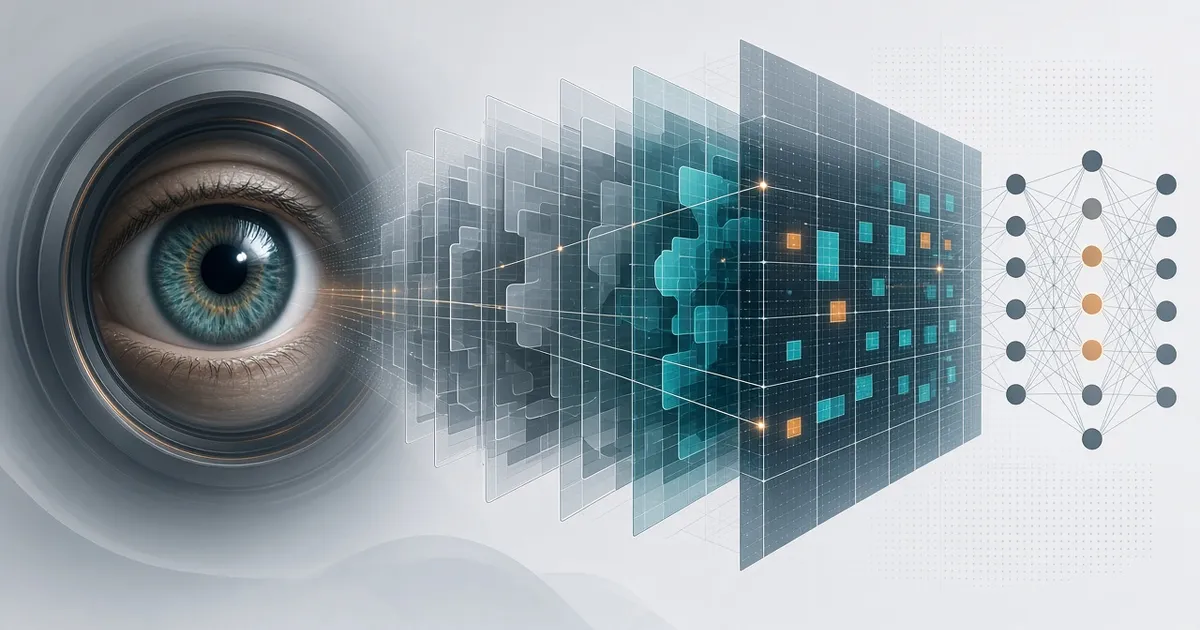
A convolutional net builds a feature hierarchy: edges → textures → parts → objects. A filter slides over the feature map; stride and padding set geometry; pooling shrinks resolution; activations add nonlinearity. A feature map is the filter’s response to a local pattern—not magic art.
Pixels → Edges → Textures → Shapes → Objects
CNNs still dominate applied CV because locality and weight sharing match images well. Vision Transformers and hybrids shine with long-range dependencies and large corpora; for many industrial jobs, convolutions, U-Net, and CNN-backbone detectors remain the working standard. From convolution to sequence/OCR models: handwritten digits.
Classification: the first practical task
A classifier assigns one (or several) classes to the whole image. Outputs are logits, then Softmax (or sigmoid for multi-label), then a loss (often cross-entropy). Accuracy is convenient for slides and dangerous under imbalance: a model that always says “OK” scores high and misses rare scrap.
Minimal sketch:
Cat image → CNN → cat: 0.93 · dog: 0.05 · fox: 0.02
Read the confusion matrix, Precision, Recall, F1, and the cost of false positives and misses. In CV, the confidence threshold is part of the product, not a detail after training. More in quality metrics.
Transfer learning: why train from scratch
A pretrained ImageNet (or domain) model already extracts useful visual features. Two working modes: feature extraction (freeze early layers, train the head) and fine-tuning (unfreeze carefully with a lower learning rate). ResNet, EfficientNet, YOLO families, and other checkpoints are a start, not a finish: your job lives in your dataset.
Pretrained Model → Freeze / Fine-tune → Your Dataset → Your Model
From-scratch training makes sense for a radically different domain, strict weight licensing, or research goals. In applied CV, adaptation usually wins. The same pattern holds in detection: your model almost always starts from pretrained weights (YOLO).
Object detection and segmentation
Classification says “there is a car in the image.” Detection says “the car is here: [x, y, w, h]” and adds confidence. Enter IoU, Non-Maximum Suppression, and families like YOLO and R-CNN. Segmentation goes further: you need a pixel mask—semantic (class per pixel) or instance (per object). U-Net and Mask R-CNN are common anchors; choose by whether a box is enough for crop/OCR or you need exact defect geometry.
Detection → object region
Segmentation → exact object mask
Product question: if the next step is crop a cell and read a digit, detection—or even form geometry—often suffices. If you need lesion area on a scan, you need segmentation. Detection engineering: YOLO; weld radiograph vision map: weld AI architecture.
Augmentation, training, and evaluation
Augmentation expands the sample artificially: rotate, crop, flip, scale, brightness, noise. Useful when transforms match the real world. Harmful when they break meaning: mirrored symbols on a diagram, upside-down digits as a “new” class, augmentations that never appear in production.
The training loop is the same in both frameworks:
Image → Model → Prediction → Loss → Backpropagation → Optimizer → Updated Weights → Repeat
Epoch, batch, learning rate, overfitting, and underfitting read the same: rising train with falling validation means memorization—not “train a bit more on the same holes.” Evaluation: train / validation / test, then a real-world set close to production. Confusion matrix, FP/FN, Precision/Recall are how you talk to the business about error cost.
Training accuracy ↑
Validation accuracy ↓
        ↓
    Overfitting
From a trained model to production
Training ends in a checkpoint. The product starts at inference: latency, model size, preprocessing version, drift monitoring, rollback. Typical chain:
Training → Model → Export → Inference → Application
Server and REST API, Docker, mobile and edge, browser, quantization and distillation—different constraints on the same mathematical object. Teams often train in PyTorch and serve via ONNX Runtime or in the browser with WebGPU + Transformers.js. Training framework and inference runtime are different layers; do not demand one tool own both worlds perfectly.
Before release, freeze three versions as one package: weights, preprocessing code, and decision thresholds. If you swap only the checkpoint and leave normalization from an old experiment, the accuracy report no longer describes the service. In production watch not only “the model answered,” but low-confidence reject rates, p95 latency, and new error classes in frame review—otherwise customers notice data drift before you do.
PyTorch and TensorFlow in Computer Vision
The thinking architecture is one. Names and ecosystems differ:
| Concept | PyTorch | TensorFlow |
|---|---|---|
| Tensor | torch.Tensor |
tf.Tensor |
| Model | nn.Module |
tf.keras.Model |
| Layers | torch.nn |
tf.keras.layers |
| Dataset | Dataset / DataLoader |
tf.data.Dataset |
| Training | explicit loop / ecosystem | fit() / custom loop |
| CV ecosystem | TorchVision, Ultralytics, timm… | KerasCV, TF stacks, TF Hub… |
| Deployment | export / PT ecosystem | SavedModel / Serving / Lite… |
Neutral comparison without a winner: PyTorch vs TensorFlow. The question is not “who is better?” but “which tool fits the team and infrastructure for this job?” Research and much applied CV pull toward PyTorch; an existing Keras/TF stack or TPU is a strong case for TensorFlow.
What to learn and where it shows up
A practical order without framework worship:
- Python and NumPy
- Image basics and OpenCV
- Tensors and neural nets
- CNNs and the training loop
- Metrics and an honest split
- Transfer learning and classification
- Detection and segmentation
- Deployment and monitoring
- Depth in
PyTorchorTensorFlowfor your stack
Understand Computer Vision first, then deepen the API. Real contours where this map repeats: document and form OCR, quality control, medical and industrial imaging, cameras and sorting, diagram and video analysis. In production “one model for everything” rarely wins; short links with explicit contracts between them and a shared feedback loop into the dataset do.
The pipeline stays recognizable:
REAL PROBLEM → DATA → ANNOTATION → PREPROCESS → AUGMENT
 → MODEL → TRAIN → EVAL → INFERENCE → DEPLOY → FEEDBACK → DATA
Common beginner mistakes: learning two framework APIs in parallel without finishing one task; chasing SOTA architecture on crooked labels; measuring only accuracy; forgetting that preprocessing is part of the model. One end-to-end mini-project (classification → metrics → export → simple service) beats a stack of tutorials with no inference path.
Books such as PyTorch Computer Vision Cookbook and Hands-On Computer Vision with TensorFlow 2 help with patterns; verify live syntax against docs—APIs move. Keep official PyTorch, TorchVision, TensorFlow, Keras, and OpenCV guides nearby.
FAQ
Where should I start Computer Vision in 2026?
With a clear task and a small honest dataset. Then classification on pretrained weights in the framework your team already uses (often PyTorch). Do not start by picking a logo “for your career.”
Do I need both PyTorch and TensorFlow?
One for production plus the ability to read the other is enough. Math and pipeline transfer; porting code is days, not months, once the foundation is solid.
Why is validation accuracy high but the shop floor fails?
Usually a different distribution, split leakage, mismatched preprocessing, or a different error cost. Check a real-world set and the confusion matrix on classes that actually cost money.
When is OpenCV enough without a neural net?
When the rule is stable: threshold, morphology, projections, templates. Use a network when variability is high and hand-tuned heuristics are expensive. Geometry + model hybrids often beat “deep learning only.”
Detection or segmentation?
A box if the next step is crop, count, or OCR on a region. A mask if exact shape, area, or pixel-level foreground separation matters.
How does CV connect to LLMs and RAG?
Stabilize vision first: objects, fields, text, structure. Put the language model on extracted facts, not instead of coordinates. Diagram stitching example: YOLO.
Are CV books still useful?
Yes for foundations (tensor, CNN, augmentation, metrics, transfer learning). Concrete API calls and model versions—check docs and current checkpoints.
Further reading
Conclusion
Computer Vision is a pipeline from a real problem to feedback into data—not a logo fight. PyTorch and TensorFlow cover one foundation with different APIs and ecosystems. Data, honest evaluation, the right task framing (class / box / mask / text), and the inference path decide more than “who won the framework benchmark.” Once an engineer understands the vision contour, switching frameworks is a tool change—not learning Computer Vision from scratch.
Comments