

Contents
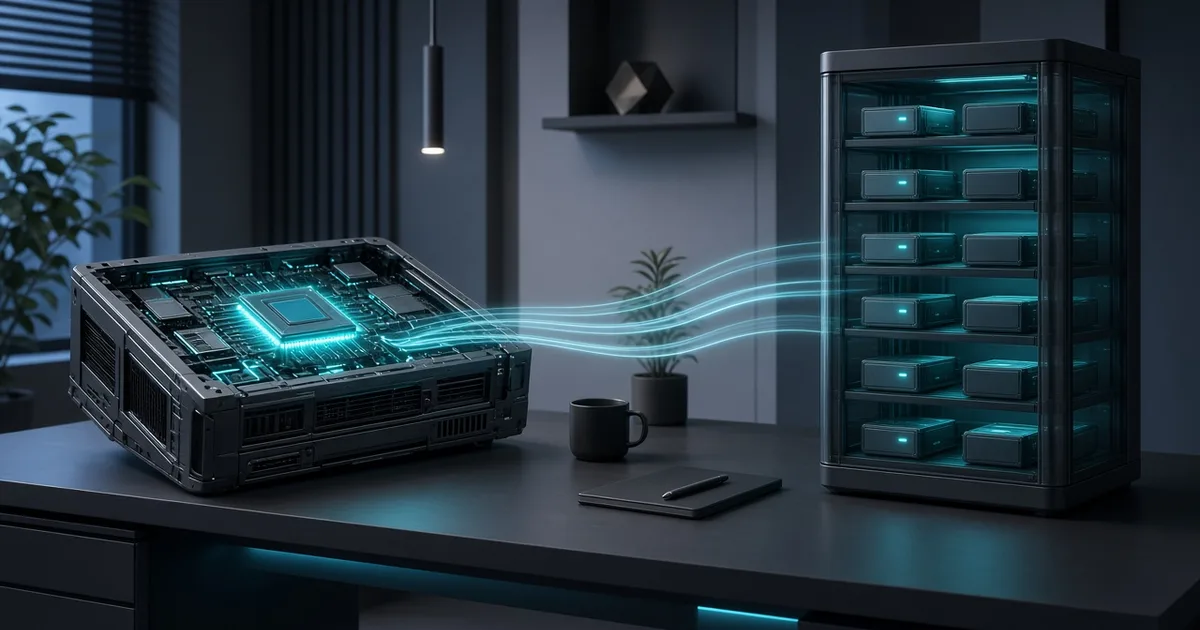
Picture a warehouse with a hundred narrow specialists. Two or three show up for each order; the rest wait. The labor bill is small—only a few people work. But you still pay everyone to be on the payroll: each one needs a slot on the shelf. A local language model with a Mixture of Experts (MoE) works the same way. It computes few parameters per token. You still have to store almost the whole model.
A few years ago, running models at home boiled down to one question: “how much VRAM does the GPU have?” In 2026, another sits beside it: “how much memory can the system give the model, and how fast is that memory?” Below is a practical map for choosing hardware—from memory formulas to builds, myths, and a buying checklist. Nearby: an overview of CPU, GPU, TPU, and NPU and a mini-PC with NPU case study.
Key takeaways
MoE saves compute, not shelf space. A model might have 120B parameters total and only a few billion active per token. Throughput feels like a “lighter” model. Weight volume feels like a heavy one.
“It runs” and “pleasant to use” are different goals. A model can answer on CPU with layers offloaded to the GPU and still be too slow for a live assistant in your editor. Decide first what you accept: “it opened,” “tolerable in the background,” or “comfortable every day.”
64 GB of RAM plus 16 GB of VRAM is already a serious start, not a toy. Together that is about 80 GB of physical memory at different tiers. It is not “80 GB VRAM.” But on such a machine you can live with 20–30B-class coding MoEs and experiment with larger quantized models via offload.
Context eats memory quietly. A long window inflates the key–value cache (KV cache). For an IDE assistant, stable 8–32K often matters more than the theoretical maximum on the model card.
Buy a growth path, not the perfect PC on the first receipt. Fast memory, room to expand RAM, and decent cooling beat a one-time “top” GPU with tight system RAM.
What happens to memory when the model answers
The model file is not the whole bill. On the shelf sit more than boxes of weights. There are work areas: activations for the current step, the attention cache, engine buffers, headroom for a long context. A rough estimate:
memory ≈ model weights + KV cache + engine overhead + buffersAn 18 GB model.gguf file does not mean “18 GB RAM is enough.” You need load space, runtime, cache for the context you choose, and OS headroom. Two phases behave differently: prefill—read the input and warm the cache; decode—emit tokens one by one. On a weak memory bus, a long prompt often hurts more than generation itself.
Dense models and mixture of experts
A dense 70B network pushes a large share of parameters on almost every token. A mixture of experts keeps many “narrow specialists” and activates only a subset per token via a router:
                 ┌── expert 1
                 ├── expert 2
token → router ──┼── expert 3
                 ├── …
                 └── expert N
         only a subset active
The key pair of numbers:
total parameters ≠ active parametersOrder-of-magnitude example: on the order of 120B total and 5–6B active. Less compute than a dense 70B. But every expert must be reachable for the router—otherwise you cannot call that “specialist.” Hence the article’s main point: MoE saves compute but does not save memory in proportion.
Two different ceilings: compute and memory
Any local inference hits two different limits. Compute—GPU/CPU TFLOPS, tensor cores, number of active parameters. Memory—VRAM, RAM, laptop or mini-PC unified memory, and above all bandwidth (DDR5, GDDR, HBM, unified memory).
Hence the paradox: a 100 GB model sometimes “comes alive” on a machine with 64 GB RAM and 16 GB VRAM through layer offload. But “alive” ≠ “fast.” Slow RAM at huge capacity is a warehouse without forklifts: plenty of space, orders crawl.
Quantization: packing boxes tighter on the shelf
Weight storage precision is the “thickness” of the packaging. First-order guides: FP32 ≈ 4 bytes per parameter, FP16/BF16 ≈ 2, INT8 ≈ 1, 4-bit ≈ 0.5 plus overhead. For home runs, GGUF is popular: metadata, tensors, and easy pairing with engines like llama.cpp.
The Q4_K_M, Q5_K_M, Q6_K, Q8 line trades size, quality, and speed. Often the sweet spot is around Q4/Q5: the model is noticeably lighter than full precision while coding and instruction-following still hold. Over-aggressive compression hits reasoning, code, and instruction stability—that is not “free savings,” it is a different model in behavior.
Ballpark table for dense models (order of magnitude, not a spec sheet for one build):
| Model | FP16 | INT8 | Q4 |
|---|---|---|---|
| 7B | ~14 GB | ~7 GB | ~4–5 GB |
| 14B | ~28 GB | ~14 GB | ~8–10 GB |
| 32B | ~64 GB | ~32 GB | ~18–22 GB |
| 70B | ~140 GB | ~70 GB | ~35–45 GB |
| 120B | ~240 GB | ~120 GB | ~60–70 GB |
For MoE, track a separate triple: total parameters, active parameters, size of the quant you pick. The formula parameters × bytes_per_parameter is still the starting point; always add overhead, KV, and runtime.
Layer offload: when GPU and CPU share one model
Three modes are worth keeping in mind.
GPU only—weights in VRAM, maximum speed, needs a large GPU. CPU only—weights in RAM, huge models possible, speed often background-only. CPU + GPU—some layers on the card, some in RAM; you pay to move data between “bench” and “warehouse.”
Even 16 GB VRAM helps when the whole model does not fit: heavy layers, attention acceleration, part of the cache. The GPU does not have to hold everything—it must accelerate what you put on it. More on chip roles in the AI hardware overview.
Why 64 GB RAM + 16 GB VRAM is interesting
Sixteen gigabytes of VRAM comfortably holds 7–14B, some 20–30B, and small MoEs whole or nearly whole. Sixty-four gigabytes of RAM let you store large GGUF files, run offload, and try models heavier than the card. The “80 GB” sum is a handy system capacity guide, not marketing for one super-fast pool.
Practical zones on such a machine:
- Great: 7–14B, around 20B, ~30B coding MoE with moderate context.
- Possible: 70B in
Q4, large 100B+ MoEs with noticeable offload. - Already a compromise: 200B+ and especially 400B+—experiment more than daily assistant.
The other pole is a mini-PC with NPU and 64 GB: there you win on quiet and power budget, not peak against a discrete GPU.
Modern models worth sizing hardware against
Benchmarks for your test bench, not a “best model this week” ranking.
gpt-oss-20b—a handy “serious but still domestic” class: check full and active size, quant, prefill/decode speed, code and reasoning quality.
gpt-oss-120b—a different memory class. Here “fits on the card” ends quickly and life on RAM + offload begins. Practicality depends on latency tolerance, not only the fact it launched.
Qwen3-Coder 30B‑A3B—the main everyday coding MoE example: tens of billions total with a few billion active. Tight on 32 GB RAM; 64 GB plus 16 GB VRAM is the comfortable experiment zone. Larger coder MoEs push the shelf toward 128–256 GB.
Compare close tasks: dense 30B vs MoE ~30B; dense 70B vs MoE 100B+. Memory, active parameters, tokens per second, and hardware cost rarely vote the same way.
Context: the hidden shelf consumer
A 32K window is not as “cheap” as 4K. The longer the input and history, the larger the KV cache. An IDE assistant is especially hungry: current file, neighbors, diff, errors, doc chunks, chat history. The model card maximum is often not optimal: winning “everything fit in the prompt” is paid for with memory and slow prefill.
Realistic home modes are 4K / 8K / 16K / 32K, sometimes 64K if hardware and task truly need it. For agents and IDEs, also read how AI environments work with code.
CPU and the memory bus
Core count alone poorly predicts local inference speed. IPC, memory channels, cache, instruction set, and real bandwidth matter more. On desktop, look at Ryzen and Core lines with RAM headroom. On Apple Silicon, unified memory is strong: no hard wall between “GPU” and “RAM,” but the cap is the unified memory you bought and the ecosystem (MLX, Metal). Platforms like Ryzen AI Max with 128 GB unified can beat “normal PC + 16 GB discrete GPU” if the goal is large MoEs in one box. Server CPUs pay off when you need 128–512 GB and several users.
Concrete builds and task classes
Ultra-budget: 32 GB RAM and 8–12 GB VRAM—7–14B and small MoEs, learning the stack. This article’s sweet spot: 64 GB + 16 GB—gpt-oss-20b, Qwen3-Coder 30B‑A3B, large Q4 via offload. Advanced: 128 GB + 24 GB—bigger MoEs, 70B Q4, longer context. Workstation: 128–256 GB and 48 GB+ VRAM. Unified memory: compare 64 / 128 / 256 GB unified to classic RAM + discrete GPU on price, bandwidth, and software.
| RAM | VRAM | Model class | Scenario |
|---|---|---|---|
| 16 GB | 8 GB | ~7B | basic trials |
| 32 GB | 12 GB | 7–20B | solid start |
| 64 GB | 16 GB | 20–30B MoE | sweet spot |
| 128 GB | 24 GB | 30–100B+ | advanced |
| 192 GB | 48 GB | large MoE | workstation |
| 256–512 GB | 48–80+ GB | 200–500B MoE | high-end |
Figures are indicative: always recheck your exact GGUF and context on your own bench.
Mini-PC, desktop, and “AI boxes”
Mini-PCs win on size, noise, power, and often unified or dense RAM capacity. They lose on cooling under long load, upgrade paths, and discrete GPUs. A normal desktop is stronger on the GPU, RAM slots, and SSD, but bigger and hungrier. Compare three approaches:
Apple Silicon     → unified memory, CPU+GPU, MLX/Metal
x86 + NVIDIA      → RAM + VRAM, CUDA, most familiar software
Ryzen AI Max      → large unified memory + strong iGPU/NPU
Software compatibility matters as much as silicon: CUDA, ROCm, Metal, engine support for your MoE architecture. The mini-PC NPU case shows: “AI” marketing does not remove single-thread queues and driver quirks—see the hands-on write-up.
Software stack
llama.cpp is the best “X-ray” for local inference: layers, quants, offload, metrics. Ollama and LM Studio speed up getting started. vLLM is closer to a server setup. MLX is the natural path on Apple. Transformers is handy for Python experiments and research but not always optimal as a home assistant server. The broader framework landscape is in the PyTorch / TensorFlow / JAX overview.
How to measure so you do not fool yourself
One “tokens per second” number is not enough. Track separately: time to first token, prompt read speed, generation speed, memory for weights and for KV, stability at your context. A benchmark of “40 tok/s on short chat” poorly predicts an IDE with huge context, RAG, and tool calls—full scenario latency decides there. Cloud vs owned hardware economics are in LLM gateway FinOps; retrieval setups in production RAG.
Mini protocol for one model:
hardware → model → quant → context
RAM/VRAM used → prompt tok/s → generation tok/s → TTFT
CPU-only / GPU-offload / GPU-only → notes on code qualityLocal coding assistant on your machine
Typical home setup:
IDE → local API → model server → MoE → GPU + RAMOn top: Continue, Cline-style agents, OpenAI-compatible API, MCP, tool calls. That is where prefill, context, and queue show up: the assistant “thinks forever” although tok/s on a short prompt looked fine. How the programmer’s role shifts alongside models is a separate longread.
Myths that push you toward the wrong PC
“MoE is a small model.” No: what is small are the active parameters. “If only 5B are active, I need memory like for 5B.” No: the shelves hold all experts. “64 GB RAM replaces 64 GB VRAM.” No: different speed. “More VRAM is always better.” Not if RAM is too tight for your MoEs. “CPU inference is useless.” No—especially for large models and private background use. “Always use maximum context.” No: you pay in memory and prefill.
Avoid: very strong CPU with tight RAM; expensive GPU with 32 GB you cannot expand; slow memory “to save money”; chasing compute without VRAM and RAM headroom.
Buying checklist and upgrade path
Before paying, check: RAM ≥ 64 GB or a real expansion path; VRAM ≥ 16 GB or comparable unified memory; high memory bandwidth; fast NVMe; cooling for long inference; Linux or your OS; CUDA / ROCm / Metal for your stack; PSU headroom; noise; network for a home API.
Growth path without buying everything at once:
stage 1:  64 GB RAM  + 16 GB VRAM
stage 2: 128 GB RAM  + 24 GB VRAM
stage 3: 128–256 GB  + 48 GB VRAM
stage 4: 256–512 GB  + multiple GPUs
The idea is simple: grow memory capacity and acceleration as you hit real scenarios, not someone else’s screenshot.
FAQ
Can you run modern MoE without an 80 GB GPU?
Yes, if system memory is enough and you accept offload/CPU speed. “It runs” does not mean “as convenient as cloud chat.”
Why is 64 GB RAM + 16 GB VRAM better than 32 GB + 24 GB?
For large MoEs, shelf space for all experts often beats extra VRAM with tight RAM. For dense models that live entirely in VRAM, 24 GB can win.
Which quant for code?
Start with Q4_K_M / Q5_K_M and run your tasks. If instruction-following or patch quality breaks, raise precision—not only context.
Mini-PC with NPU instead of desktop?
If you want quiet, low power, and large unified/dense memory—yes, as a class. If you need familiar CUDA and GPU upgrades—a desktop often wins. See the NPU case study.
Why does the IDE assistant lag with “fine” tok/s?
Often long prefill, large context, re-sent files, and tools. Watch time to first token and the full scenario, not generation alone.
Further reading
Conclusion
MoE did not make the GPU unnecessary. MoE made large system memory noticeably more valuable. In 2026 home local AI, a handy simplified formula is:
RAM  ≈ which models you can run at all
VRAM ≈ how fast you run them
A practical starting point for coding MoE experiments is 64 GB RAM + 16 GB VRAM, fast memory, and a decent NVMe. That is often more interesting than 32 GB RAM with a fatter GPU if your goal is large expert mixtures, not one dense model entirely in VRAM.
The warehouse still has to fit every specialist. The question is only how many you are willing to keep on the shelves—and how fast your bench is.
Comments