

Contents
On a field photo of an ultrasonic thickness (UT) draft form, a recognition model does not yet see a “digit.” It sees a desk, a sleeve, a lamp glare, a plastic binder corner, a skewed grid, and someone else’s shadow. Until the sheet is cut out, straightened, and split into cells, any network — compact or cloud — answers the wrong question.
In our computer vision (CV) pilot, sheet splitting is its own product loop, not “five lines of preprocessing.” Below is how geometry works in our pipeline and which other ways to cut forms show up nearby. This continues the form-recognition series; it is not an OpenCV encyclopedia and not a promise of a finished shop-floor system. The repository is private; the public outline is on the portfolio page. No raw customer forms.
The system loop “geometry → reading → human” is in why one model is not enough. What we do with an already cropped measurement cell is in the compact CRNN, empty cells, and quality loop. The shared “geometry first” checklist for handwritten digits is in from convolution to Transformer. Here is the middle layer: how we cut the sheet.
Key takeaways
A bad crop kills good OCR. An error of a tenth of a millimeter often starts not in the network alphabet but in a grid line that entered the frame or a comma that got clipped.
We cut with classical geometry, not “document AI.” Morphology, projections, careful perspective, a known 23-column template. No SIFT homography and no off-the-shelf page detector as the first step.
Perspective must not run always. On flat scans and short last pages, a forced warp damages the footer and header more than it helps.
The cell map is a contract for the whole loop. Coordinates, footer margin, a start-column shift for the grid, local row bands per column when residual skew remains.
Other splitting methods are not “worse” — they fit a different input. Equal ROIs, keypoint template matching, a neural page quadrilateral, table detectors, cell segmentation — each covers its own capture class and error cost.
Crop quality is a product gate. Until a human confirms the cut in the golden editor, the sheet must not quietly slide into training or into the plant’s enterprise system (ERP).
Why sheet splitting carries its own error cost
An operator photographs a draft form on a phone next to the asset. The frame is almost never “lab clean”: angle, a folded binder, a dark table, lamp glare. If you crop “roughly the table” and hand it to a cloud vision model, it will often still read something. The question is where that reading lands.
In thickness accounting a false digit is more expensive than an empty cell. An empty cell can go back to a human. A silent swap of 12.3 for 12.8 walks into the integrity loop. So in the pilot we first build a cell map: where the paper is, where the table is, where the row is, where the column is, where the margin for “Page X of Y” sits. Only then — ink, ditto marks, strikeouts, the measurement head.
The same “structure before meaning” order already showed up in document ingestion for RAG. Different domain, same discipline: do not push downstream what geometry has not yet fixed.
How the pilot pipeline is built
flowchart TB
  photo[Phone_photo]
  photo --> upright[Upright_and_EXIF]
  upright --> persp[Gated_perspective]
  persp --> deskew[Deskew]
  deskew --> trim[Paper_and_margin_trim]
  trim --> regions[Regions]
  regions --> grid[Row_and_column_grid]
  grid --> crops[Cell_crops]
  crops --> review[Crop_QA_gate]
After orientation comes gated perspective, a small rotation from Hough lines, contrast leveling, then paper-margin trim. Then header and table regions, horizontal and vertical grid lines, row bands, 23 columns, crops. The footer with the page number is read separately; we stitch logical multi-page forms only after CV.
We do not trust EXIF for orientation. We try four rotations and score them: header keywords should sit at the top, “pages” at the bottom, the QR in the upper half, the horizontal grid strong. Phones often hand you a sideways frame; without this step later geometry looks for a table where none exists.
The output is not a “pretty picture” but a catalog of rectangles plus quality flags. The golden editor keeps a crop tab: a sheet with crooked geometry stays in draft until a human confirms the cell map.
Morphology and projections: how we cut the table
A known form is the main advantage. We are not hunting for “a table somewhere in the document world.” We hunt for this grid: adaptive threshold, morphological opening with long horizontal and vertical kernels, a line mask.
From the mask we compute one-dimensional projections: how much “grid ink” sits in each pixel column and row. Projection peaks are line candidates. Nearby peaks merge. Between horizontals we assemble data-row bands, drop the printed subtitle а, б, в, г, and split bands that are too tall. For columns we need edges for 23 fields: nine metadata cells, then measurement blocks I–III of four cells each and a narrow IV. If there are too many or too few verticals, we fall back to a uniform grid but protect the accessibility divider zone so we do not slide onto the wrong column.
When the global grid still skews after perspective, for measurement columns we take local horizontals inside the column strip. Otherwise the lower comma or digit tail stays below the shared row’s bottom edge.
Separately lives a start-column shift for the grid: if section I ink systematically lands off the expected index, we move the grid origin by one column. That is a heuristic for live photos, not a theorem. Without it half the measurements read from the neighbor cell.
Another practical layer is trimming the paper margins before the table. By row and column brightness we separate the light sheet from the dark desk. We look for a long outer horizontal of the form frame so we do not clip date and operator on the first page. If a binder strip with oval punch holes shows at the top, we cut it separately; otherwise the header rides away with the plastic. At the bottom we keep footer margin even when the table is short — otherwise “Page X of Y” logic loses its anchor.
All of this looks like many heuristics — because it is. Transparency beats magic: every threshold can be shown on a projection image and explained to an operator why a cell drifted. When a heuristic does not converge, we do not “guess” the sheet; we send it to the crop tab.
Why we do not always enable perspective
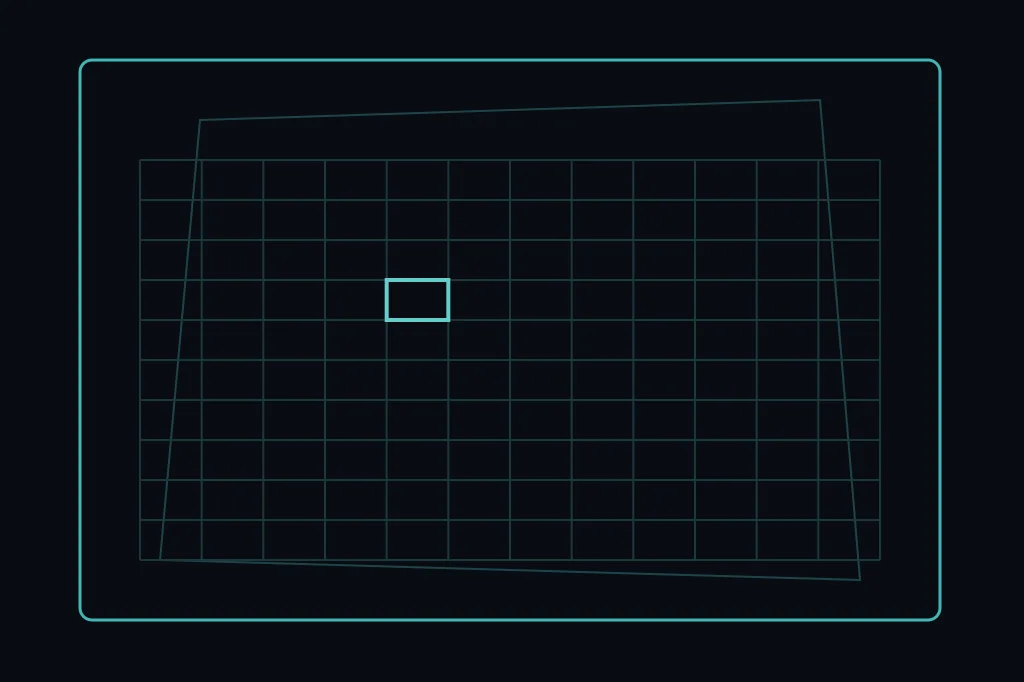
The classic advice “always straighten the page quadrilateral” breaks on our forms. We find a quadrilateral from the grid contour, expand it upward for the header and downward for the footer, try warpPerspective into a landscape aspect. We apply it only if after the trial the count of readable grid lines rises and the “trapezoid” metrics look like real keystone, not noise.
A flat tablet scan is often already straight enough: a forced warp squeezes the footer and tears the header. A short last page, where the table takes little height, is also risky: the algorithm may “stretch” empty bottom space. A plastic binder corner with oval holes gives a false top edge — cut it separately or date and operator leave with the binder strip.
The small rotation after perspective uses the median angle of nearly horizontal Hough segments. Too small an angle we ignore; too large we distrust: better leave light skew to local bands than twist the sheet ten degrees on a false line.
Other common sheet-splitting methods
Below is not a better/worse ranking but a map of when which method fits next to ours.
Equal ROIs and a hand-fixed grid
In the lab the sheet sits in a frame, lit evenly, shot from above. Then it is enough to fix zone rectangles once and cut by width and height fractions. Cheap, reproducible, almost unbreakable. On a field phone equal fractions drift fast: two degrees of angle already shift the lower-right block onto foreign digits.
When it fits: controlled capture, one template, operator discipline with a tripod or frame.
Template matching and keypoint homography
Take a golden scan of the form, find features (ORB, SIFT and kin), build a homography onto the live photo, transfer pre-labeled ROIs. Strength — carrying rich labels. Weakness — glare, a crumpled corner, the operator’s hand, missing “texture” anchors on empty fields. On our dense grids, lines sometimes give stable points, sometimes false matches on the repeating table pattern.
When it fits: stable print of the template, little paper deformation, budget to invest in golden labels.
Neural page quadrilateral
Detectors in the DocTr family and similar models predict document corners on a photo. They handle “document on a desk” well in the general case. For a UT form the page is not yet the table: inside you still need header, QR, legend, grid, footer. The paper quadrilateral is only the first frame; without a second stage of cell splitting you get a nicely straightened but still whole sheet for OCR.
When it fits: strong keystone, mixed document types, no rigid table template.
Table and row detectors
A separate class of models looks for tables, rows, and cells as objects: cascades, YOLO-like heads, table transformers. They are strong on accounting PDFs and web screenshots. On a handwritten industrial grid with pencil lines and binder holes they often stumble: a “cell” for the detector is not the same as an engineering measurement cell with comma margin.
When it fits: printed tables with clear rules, weak dependence on an exact column count.
Semantic or instance cell segmentation
A pixel mask of “this is a cell / this is a line / this is background” sounds tempting. The cost is labeling and upkeep. For one known form it is often cheaper to squeeze a classical grid and heuristics than to label thousands of masks. Segmentation pays off when templates are many and grid lines look unstable.
When it fits: a park of different forms, weak print repeatability of lines, labeling budget.
Hough lines alone, without morphology
Hough catches individual segments well. Without morphological “stretching” of the grid on a noisy phone you get a mess of short handwriting strokes and glare. We use Hough sparingly — for orientation and small deskew — and keep the table skeleton on morphology and projections.
When it fits: clean scans with long continuous lines.
Whole sheet into a multimodal model
Hand the full photo to a vision-language model (VLM) and ask for JSON — the shortest path to a demo. In the pilot that is a bad first step: empty cells get smoothed over, geometry is lost, cost grows with every full frame. We leave VLMs for cropped zones and disputed spots after the cell map — already covered in the series system article.
When it fits: rare fields off-grid, explanations, arbitration after geometry.
Typical splitting mistakes
Crop to the outer paper contour and forget the footer. The page number vanishes — the multi-page form will not stitch.
Enable perspective “just in case.” A flat scan becomes a wave; header and footer suffer first.
Cut cells by global rows under residual skew. The bottom row of right-hand columns loses commas and digit tails.
Crop together with the grid line. OCR and the emptiness classifier start “seeing ink” where there is none.
Train the measurement net on crooked crops. Later the quality loop will treat model symptoms, not geometry.
Treat equal fractions as a substitute for grid detection. On a phone that is a column lottery.
Crop quality as a product gate
In the pilot there is a temptation to treat geometry as “CV technical debt” and push everything that vaguely looks like a table into measurement-net training. We have already burned ourselves indirectly: the model honestly learns what it sees. If a grid line is in the frame, the net learns to draw thickness from the line. If the comma is clipped, the net learns whole numbers where tenths are required.
So cropping has an explicit status. A human in the golden editor looks at the cell map, fixes disputed rectangles, confirms the sheet. Until crop status is green, the sheet must not become “one more batch” for the measurement head and must not quietly leave in an export. That is duller than a new checkpoint and cheaper than a month of “the model is dumb” arguments.
The same principle disciplines experiments from the CRNN quality loop: before you twist epochs and alphabet, make sure input crops share one geometric contract.
The start-column shift heuristic and the column-divider protection zone are still tuned case by case. Ink thresholds for trimming and for the fill detector diverge — that is a consistency debt. A separate grid for a strongly crumpled binder corner without perspective is still weaker than we want. A neural page detector as an optional front door before our geometry is not shipped: first we measure whether it helps on short last pages without losing the footer.
The golden editor already walks people through the crop tab, but automatic scoring of “crop good enough for training” does not yet replace the eye. While a sheet with bad geometry can still enter training if process discipline slips, that risk stays open.
What to do today
- Take ten field photos of one template and mark by eye: where header, table, footer, and foreign background sit.
- Capture horizontal and vertical projections after morphology — compare with bare Hough on the same frame.
- Run perspective with gates and without: count how many frames lost the footer.
- Freeze a cell contract: column count, footer margin, ban on cropping onto the grid line.
- Do not release crops into measurement-net training until there is an explicit crop-quality status.
- Write down one failure case (binder corner, short last page, strong glare) as a regression test, not as “we’ll look later.”
FAQ
Do you need a neural net to cut a known UT form?
Not necessarily as the first step. With a stable template a classical grid is often cheaper and more transparent. A net pays off when templates are many or grid lines look visually unstable.
Why not start with DocTr and hand the straightened sheet to OCR?
A page quadrilateral is not a cell map. Without a second splitting stage you get a flat whole sheet and the same empty-cell and wrong-field problems.
Can equal width fractions of the table be enough?
On a tripod and even light — sometimes yes. On a field phone a small angle already changes the right-hand columns. For thickness measurements that is an unacceptable risk.
What matters more: perfect perspective or stable cells?
Stable cells. Light residual skew can be treated with local bands. A broken footer and a shifted column cost more to fix.
How do you tell the crop is at fault, not the model?
Look at the crops with errors: a grid line in the frame, a clipped comma, a foreign digit from the neighbor column. If the crop looks bad visually — fix geometry, do not pile on epochs.
Where in the series should I read about reading an already cropped cell?
System loop — one model cannot carry the whole sheet. Measurement — compact CRNN. Empty / ditto / strikeout — a separate classifier. Experiments — quality loop.
Comments